Showing posts with label spotify music. Show all posts

Monday, September 12, 2022

How to Play Spotify Music on MP3 Player

Spotify is available across a range of devices that have a supported Spotify application, including computers, phones, tablets, speakers, TVs, cars, etc.  Spotify Premium members can download and listen to tracks offline on their devices with the Spotify app. 

However, it's not easy to play Spotify music on an MP3 player. That's mainly because most MP3 players aren't integrated with Spotify.
download Spotify music to MP3 player

On the other hand, most MP3 players only support plain audio file types, such as MP3, WAV, WMA, OGG, AAC, M4A, and FLAC, while Spotify uses Ogg Vorbis format with encryption protection. So most MP3 players can't recognize Spotify music. Due to the encryption protection, you can't transfer music from Spotify to MP3 players or other devices directly, either.

So, is it possible to enjoy Spotify music on MP3 players? Please don't worry. In this tutorial, we will show you how to download music from Spotify to MP3 players for offline listening freely. Let's check the detailed guide on how to make it below.

Part 1. Best Tool to Download Spotify Music to MP3

If you still wish to play Spotify songs to a generic MP3 player, you will need to convert Spotify OGG Vorbis files to MP3 or other formats that are supported by most MP3 players. As a professional Spotify to MP3 Converter, Macsome Spotify Downloader is strongly recommended for you. 

With the help of this program, you are able to download Spotify songs, playlists, albums, and podcasts to MP3, AAC, and more without losing the original audio quality. Therefore, you can transfer Spotify music to any device like MP3 players, car stereo systems, game consoles, etc.

Significantly, Macsome Spotify Downloader applies to all Spotify users. That is, both Spotify Premium and free users can download Spotify music for offline listening by using this tool. 

Part 2. Guide to Download Spotify Music to MP3 Player

The following is a detailed guide about how to download Spotify music to MP3 and then transfer Spotify songs to MP3 players.

Step 1. Download Macsome Spotify Downloader.

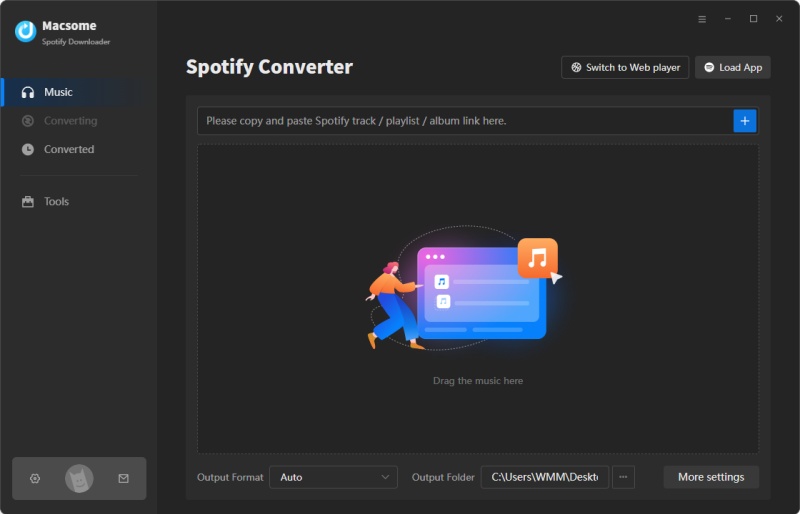
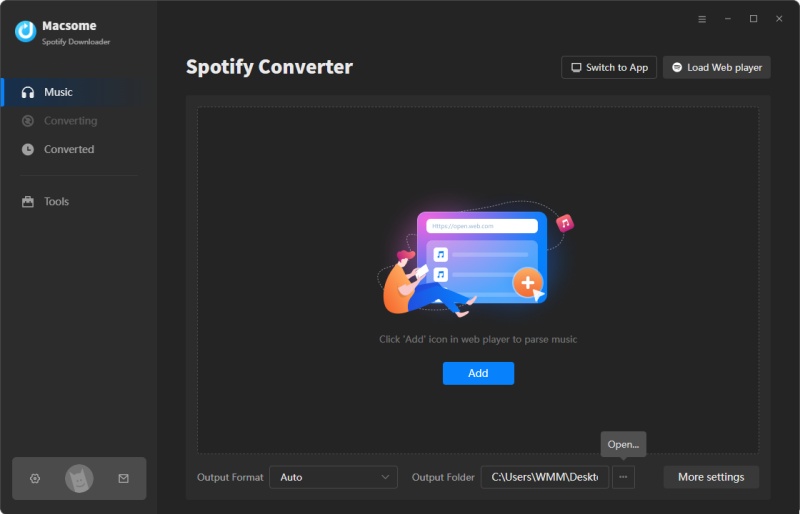
First, please download and install Macsome Spotify Downloader on your computer.
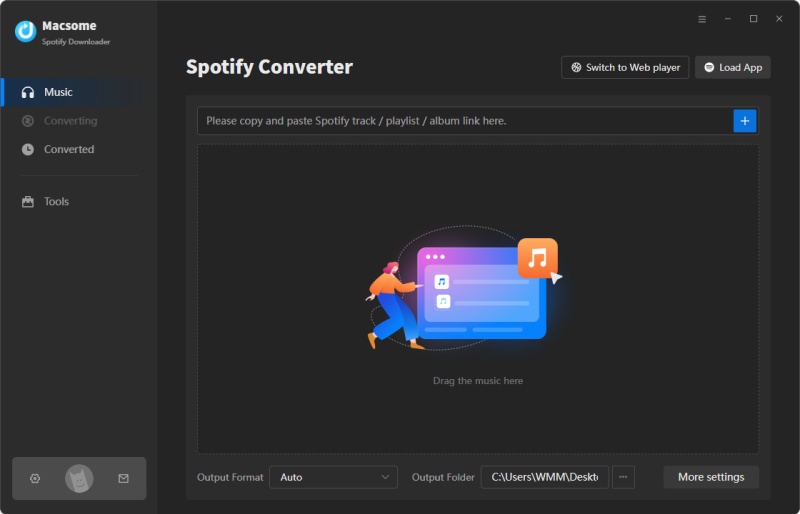
interface of Macsome Spotify Downloader

Step 2. Set MP3 as the Output Format.

This is a major step for downloading songs from Spotify music to MP3 players. Click the "Settings" icon in the upper right corner of the program, and you will see the pop-up settings window. There are multiple formats available, including MP3, AAC, WAV, FLAC, AIFF, and ALAC. Here you can choose MP3 as the output format. Besides, you can also set the bit rate to 320 kbps.
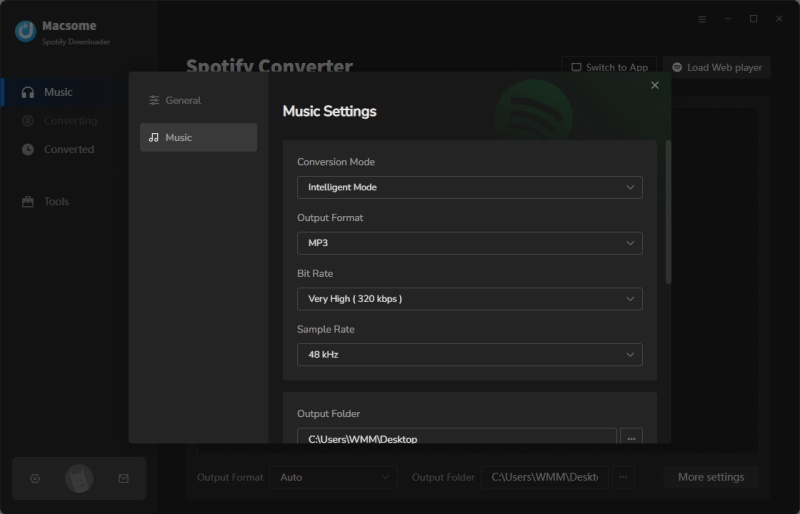
Output settings

Step 3. Import Spotify Playlists, Albums, or Podcasts.

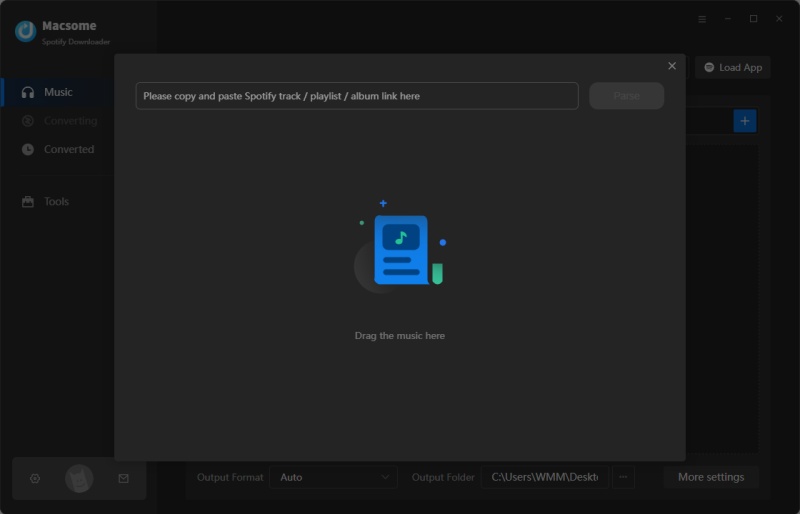
Click the "+" button, and you will see a pop-up window that indicates you to add the Spotify songs or playlist here.

Search any content you would like to download from the Spotify app, then drag them to the adding window. Moreover, you can also copy and paste the link to the song or playlist. Then hit the "OK" button, and the tracks will be loaded to the main window.
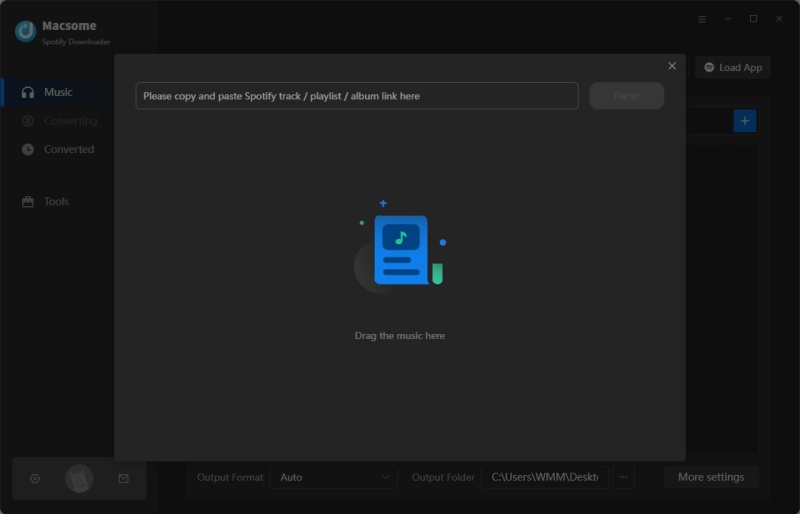
Add Spotify songs to Macsome Spotify Downloader

Step 4. Start to Download Spotify Music to MP3.

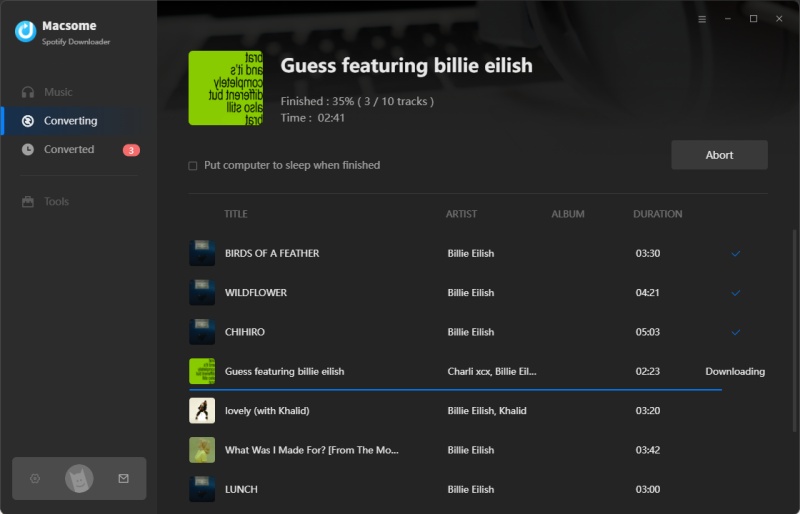
After all the settings, simply hit the "Convert" button, and the Spotify music to MP3 downloading process will begin.
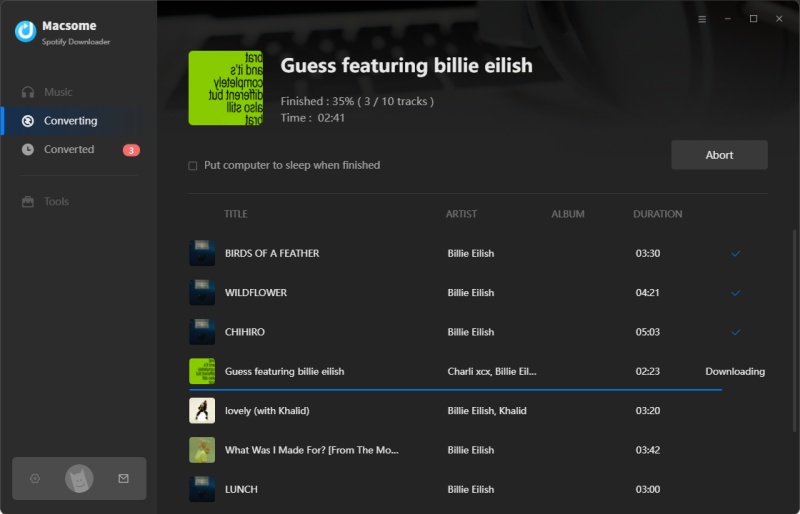
start to download spotify songs to MP3

Once completed, hit on the "Converted" tab, and you will find all the downloaded Spotify songs here. Click the "folder" icon, and you can locate the downloaded Spotify MP3 music files on your computer.
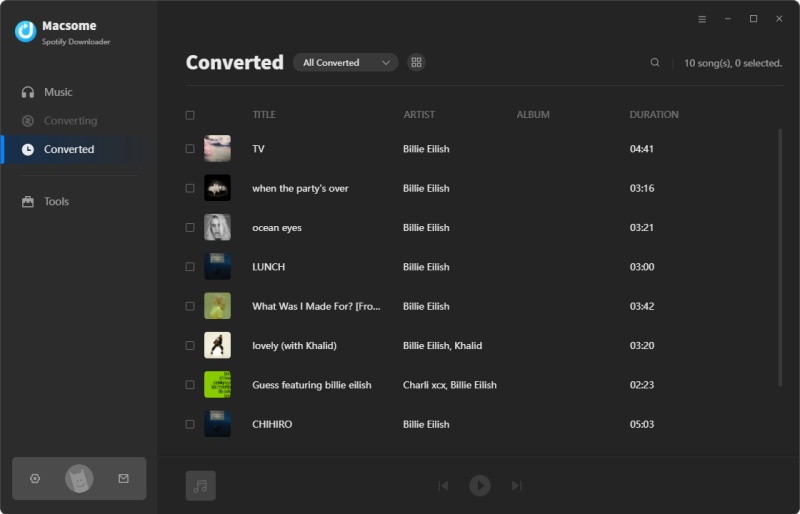
check the downloaded Spotify MP3 files

Step 5. Transfer Spotify Music to MP3 Player for Playback.

First and foremost, connect your MP3 player to your computer via a USB cable. Next, go to the destination file location that contains the downloaded Spotify songs. Then drag and drop these songs into the drive on your computer just like any other external drive.

Conclusion

It could be easier to download music from Spotify to an MP3 player by using Macsome Spotify Downloader, no matter whether you are a Free or Premium user. It can help you download Spotify music songs to MP3 with high quality so that you can play your Spotify music on any MP3 player, such as Sony Walkman, SanDisk MP3 player, iPod Shuffle, iPod Nano, and Creative Zen which is not compatible with Spotify.

Thursday, March 26, 2020

How to Create Spotify Songs as Ringtone for iPhone or Android


Can you use Spotify songs as ringtones? How do I make a Spotify song my ringtone on iPhone? How do I download music from Spotify for ringtones on Android?
Macsome Spotify Downloader can solve all the problems.
Spotify is one of the best music streaming services for most people. There are over 50 million songs in the Spotify library. People prefer to set Spotify music as ringtone and add it to iPhone or Android phone. However, the downloaded Spotify music are cached files. And Spotify uses Ogg Vorbis as their streaming format, so that they can't be used to make ringtones.
make Spotify music for ringtone
While Spotify content has many restrictions, you can still want to set Spotify track as iPhone ringtone or Android ringtone. Only if you turn to a third-party tool like Macsome Spotify Download, you can easily convert Spotify music to ringtone audio format like MP3 or AAC. In the following article, we will clearly illustrate this method on how to use Spotify songs for making ringtone to your iPhone or Android phone.

DOWNLOAD SPOTIFY MUSIC SONGS TO RINGTONE AUDIO FORMAT

Macsome Spotify Downloader is such a speedy, reliable, and multi-function Spotify Converter for you. With it, both Spotify free and Premium users can convert Spotify songs, albums and playlists to plain audio formats supported by iPhone or Android devices, such as MP3, AAC, FLAC and WAV. Now you can refer to the method shown below to use Spotify songs as your phone ringtone with Macsome Spotify Downloader.
Step 1. Download Macsome Spotify Downloader on your computer.
If you are a Mac user, please download the Spotify Downloader for Mac version.
screenshot of macsome spotify downloader
Step 2. Add Spotify Music and Playlist to Macsome.
You can copy and paste the link of Spotify songs to the program. Besides, you can also drag and drop the Spotify songs or playlist to the main panel.
Add Spotify songs to convert
Step 3. Set Output Format and Output Path.
Press the Settings button, you can set the output format, output quality, output folder and other parameters according to your own needs.
set mp3 as output format
Step 4. Start to Convert Spotify Music Process.
In the end, hit the "Convert" button, you will find the Spotify music conversion process will begin automatically.
start downloading Spotify music
After the conversion is finished, you will find the converted Spotify songs in the output folder you set before.
Step 5. Set the Spotify Music as Ringtone for Your Phone.
1. For Android users: First, copy the converted Spotify music to your Android. Go to Settings - Sound - Device ringtone, you will see a list of the ringtones available on your device. Select the converted Spotify songs and press OK to save the selection.
This image has an empty alt attribute; its file name is android-ringtone.jpg
2. For iPhone users: On your PC, you can import the converted Spotify songs to iTunes, and then cut it to the maximum of 40 seconds long. Then go up to File at the top of the screen and select Convert - Create AAC version. And change the extension to .m4r. Return to iTunes and delete the short version of the track. Drag it to iTunes and you will find it on the Tones panel.
This image has an empty alt attribute; its file name is set-music-as_iphone_ringtone.jpg
Connect your iPhone to iTunes, you can sync the tone to your iPhone. Once inside, click Sync Tones - Selected tones, then the track you've created. Finally go to the bottom right hand corner and click Apply.

CONCLUSION

With Macsome Spotify Downloader, you can make Spotify song as Ringtone for your phone easily. What's more, it is also an all-in-one Spotify Music Converter, which can convert Spotify music to other common audio formats like MP3. In this way, you can transfer music from Spotify to other programs or devices.
What are you waiting for? Now you can download it and have a free trial https://macsome.com/macsome-spotify-downloader.exe