Tuesday, June 21, 2022

How to Download Deezer Music to FLAC Songs Lossless

Deezer is one of the most known online music streaming services available around the world. Like Tidal, Deezer also specializes in high-quality audio. With a Deezer HiFi subscription, you can listen to over 70 million tracks in CD quality. The HiFi audio is encoded with 16-Bit/44.1 kHz FLAC to deliver the very best listening experience. Moreover, you can also stream Deezer Music in the format FLAC for offline playback on Desktop App, Web Player, iOS, Xbox, and Android mobile devices.

However, when you try to download FLAC from Deezer Music but don't succeed. Are you wondering how to convert Deezer Music to FLAC? In this article, we will introduce the two different approaches for Deezer subscribers to get lossless FLAC from Deezer Music.
download music from deezer to flac

Method 1. Download FLAC Audio to Play on the Deezer App

FLAC audio quality is only available to Deezer HiFi subscribers. If you're a Deezer HiFi subscriber, you can stream FLAC audio on the desktop app for offline listening.

Firstly, switch to FLAC streaming mode in the audio settings. On the player, click on Audio, and select HiFi 1,411kb/s button.

Next, download FLAC audio to play on the desktop app. Find the album or playlist you want to download and select the Download button to start downloading all the songs on the album/playlist. A green check will appear next to Downloaded.

Method 2. Download Deezer Music to FLAC without the Deezer App

By using the above method, you can listen to the downloaded FLAC audio offline without being connected to the internet. However, you can't get the FLAC from the Deezer Music app. As the streamed songs are cached and stored on the Deezer app, which comes with copy protection.

For personal use, you can try third-party tools. Macsome Deezer Music Converter is such a professional Deezer to FLAC Converter for you. It is designed to download tracks, playlists, albums, and podcasts from Deezer and then convert Deezer Music to FLAC, MP3, AAC, WAV, AIFF, and ALAC with HiFi output sound quality.

Step by Step: How to Convert Deezer Music to FLAC

In the tutorial that follows, we are going to show you how to convert music from Deezer to FLAC using Macsome Deezer Music Converter. If you are interested in this program, please read the steps below to see how it works.

Step 1. Login to Deezer Music Web Player

First, please make sure you have installed Macsome Deezer Music Converter on your computer. Once done, launch it by double-clicking on it. Once it is completely opened, you will see the "Open Deezer Web Player" button on the main interface. The button is for the anchor that goes to the login page. Please use your account to log in to Deezer Web Player.
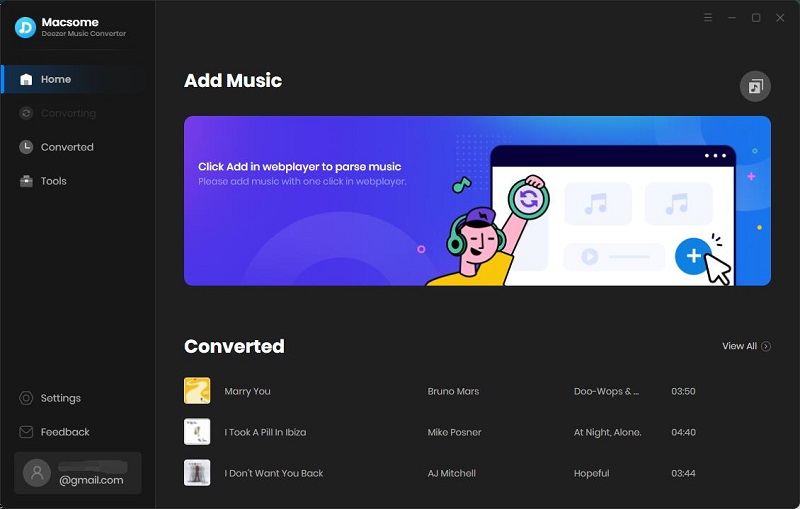
Interface of macsome deezer music converter

Step 2. Set FLAC as the Output Formats

It is simple to change the format to FLAC. Click on the Settings icon in the upper right-hand corner of the interface, choose "FLAC" as the output format, and the songs will be saved as original audio quality up to HiFi. Besides, you can also change the output folder you preferred to save the downloaded Deezer music FLAC songs.
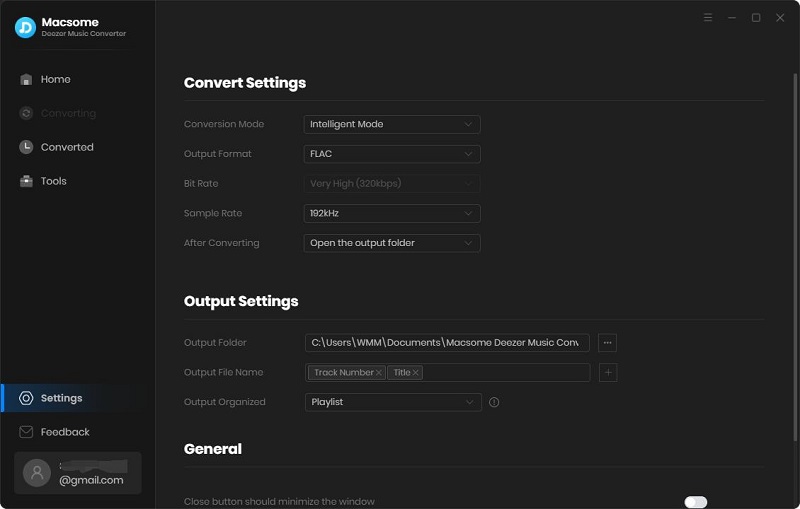
Set FLAC as the output format

Step 3. Add Music and Playlists to Download

Find a playlist you want to convert to FLAC, then you will see the blue "Add to list" button. Click it, and all the selected songs will be loaded.
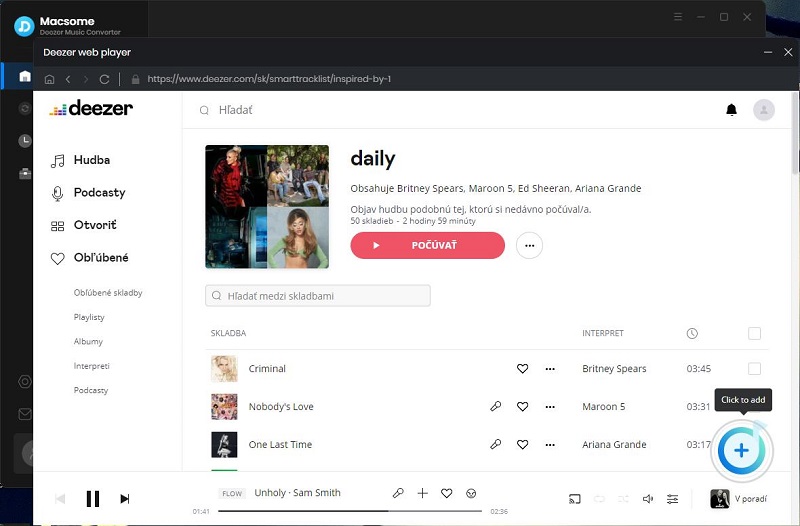
Add Deezer music

Step 4. Start to Convert Deezer Music to FLAC

Check the songs you'd like to download and click the "Convert" button to start Deezer Music to FLAC conversion.
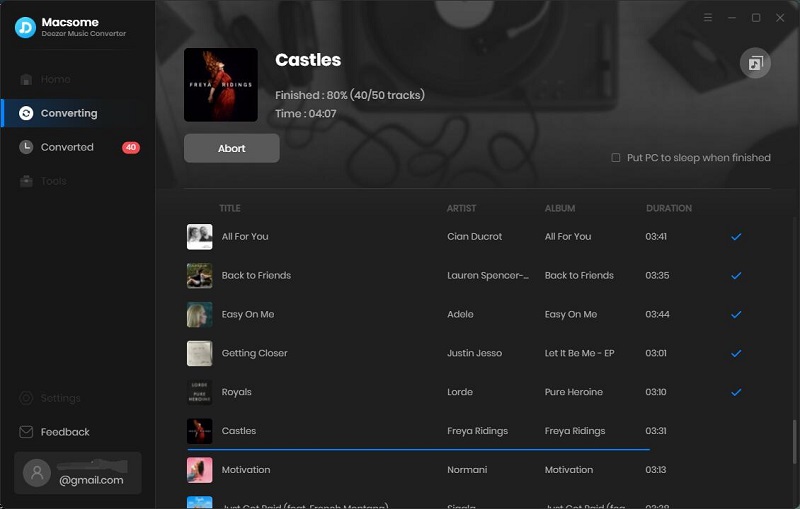
start to download deezer music to mp3

When the conversion is done, the Deezer music you chose would be downloaded to local FLAC files successfully. To find them on your computer, you can click the history icon beside the settings. Hit the folder icon, and you will see the FLAC songs stored locally.
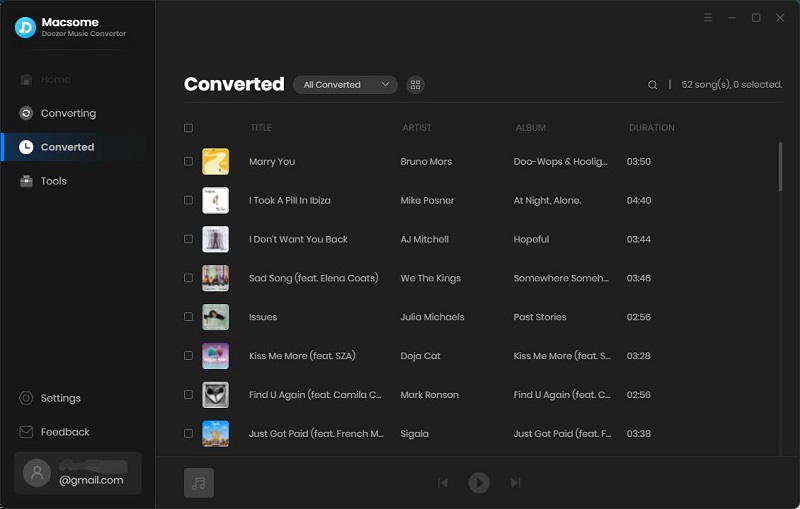
find the downloaded Deezer music

Conclusion

Now, you can get lossless FLAC from Deezer Music after reading the above methods we introduce. No matter what tiers you subscribe to, you can download and convert Deezer Music to FLAC effortlessly by using Macsome Deezer Music Converter. And the downloaded FLAC Deezer songs are ideally suited to listening on any HiFi device. This program has a free trial version, you can download and try it by yourself.

Monday, May 23, 2022

How to Download Audible Plus on Computer

What is Audible Plus?

Audible Plus is a monthly membership that includes unlimited streaming and listening from the Audible Plus Catalog. Look for the "included" tag and hit "play now" to instantly stream from the app. You can also save these titles to your library or download them to listen offline.

How to Download Audible Plus Titles?

1) Download the Audible app from the Microsoft Store. Then, launch the app and sign in with your Amazon account. 

2) Tap on Home

Click Library in the left pane. Browse the selection and tap on a title with an Included badge.

3) Tap on Add to LibraryGo to your Library and tap on the title to download it.

How to Download Audible Plus Titles on Your Computer?

All downloaded books from Audible Plus are cached, you can only play them with the Audible app. If you want to download Audible Plus Titles from the Audible, you can try Macsome Audiobook Converter

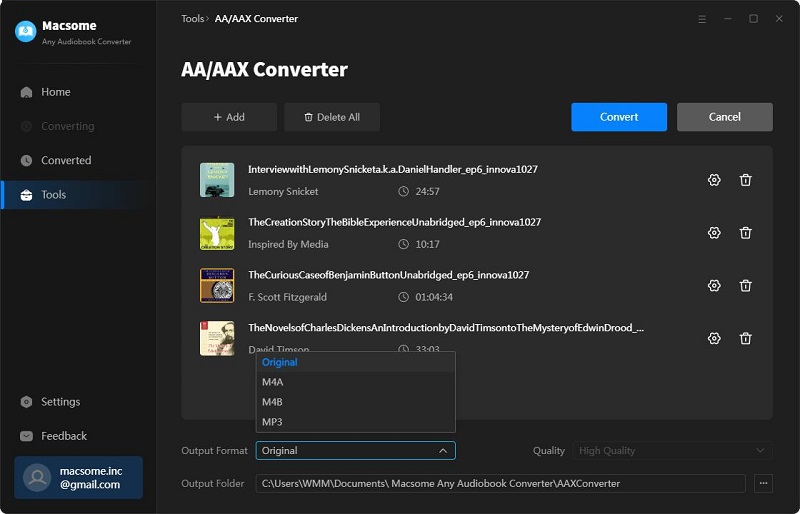
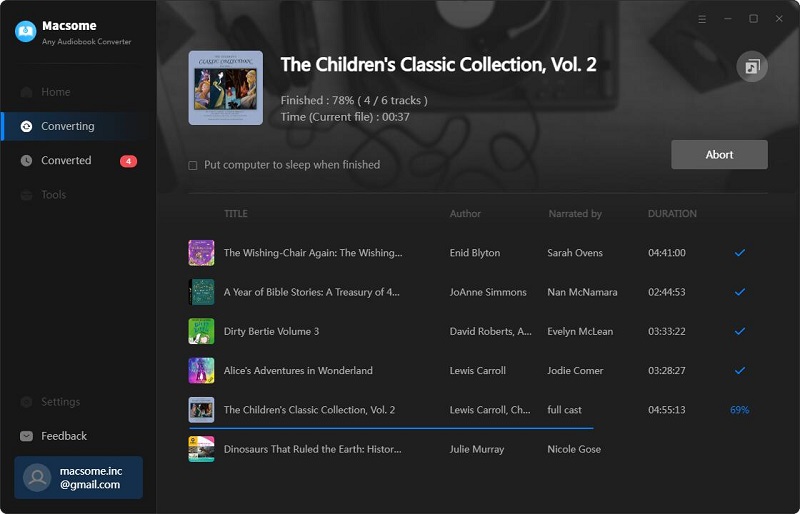
Macsome Audiobook Converter is an all-in-one Audible Converter. With it, you can convert the downloaded Audible AA & AAX files from your local computer to M4A, M4B, and MP3 format, so that you can listen to Audible audiobooks on any devices you have. 

Besides, you can also directly convert audiobooks and podcasts from Audible.com. It can also support converting thousands of audiobooks, podcasts, and Audible Originals from the Audible Plus catalog. Besides, it also supports batch conversion, you are able to convert Audible audiobooks at 60x faster speed and with ID tags kept, including Title, Artist, Author, Genre, Comments, etc.

Step 1. Access to the Audible Library

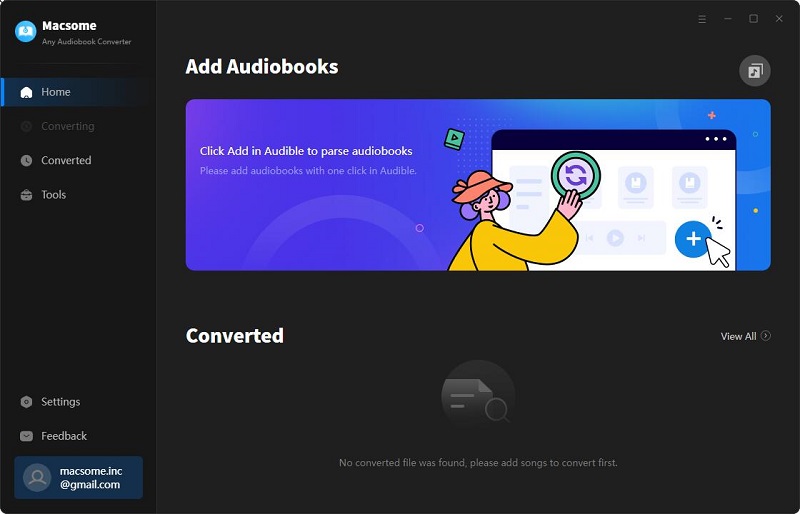
interface

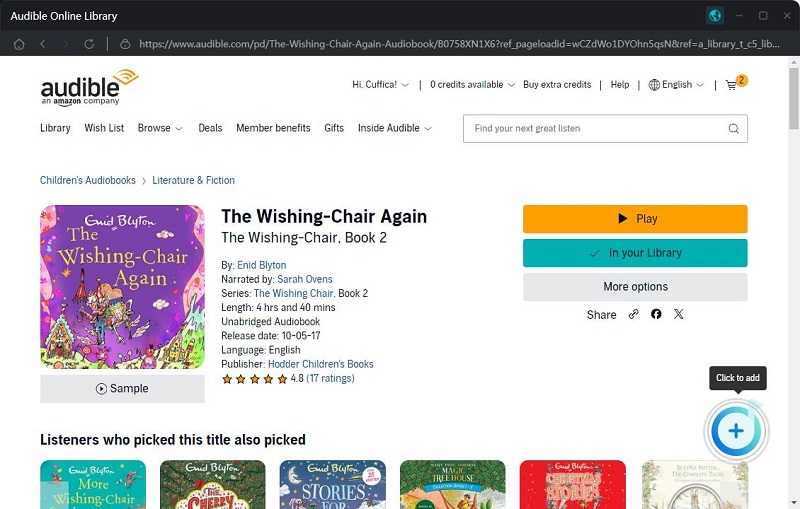
Click "Add from Audible library", you will be directed to the Audible website.

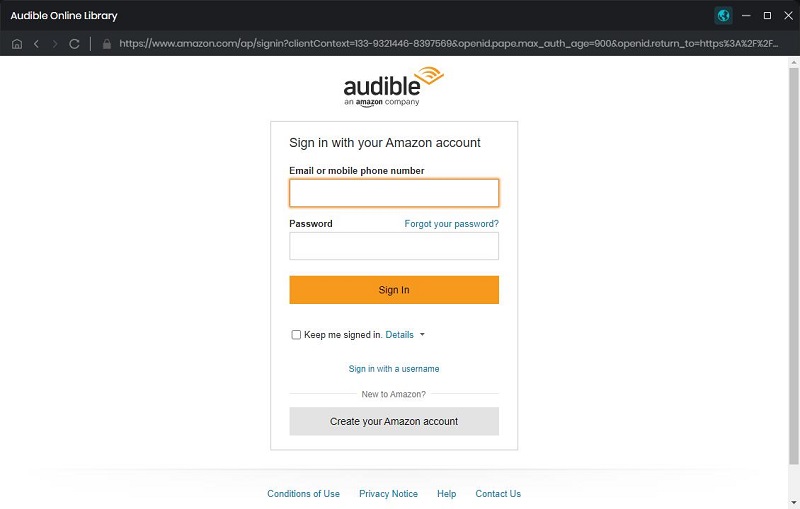
login interface

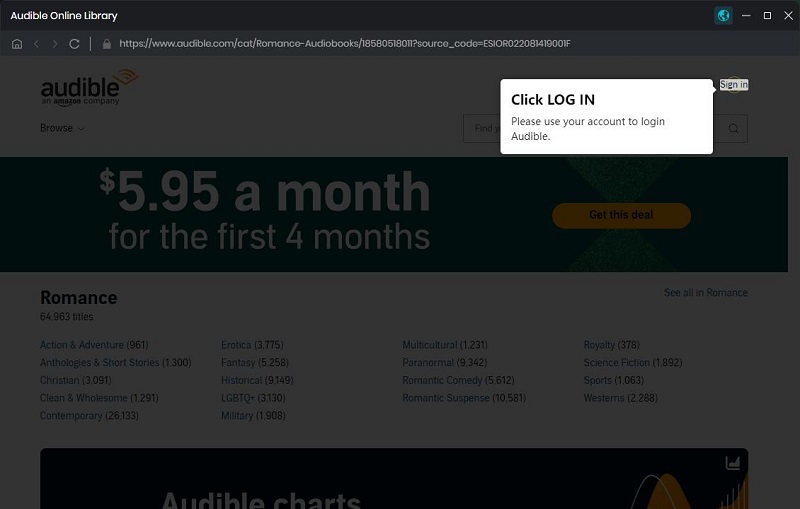
Hit on the "Sign in" button, then use your Audible account to log in.

sign in interface

Step 2. Set the Output Format

Click on the settings button icon, you can customize the output format, output quality, and output folder.

settings

Step 3. Add Audiobooks or Podcasts from Audible Library
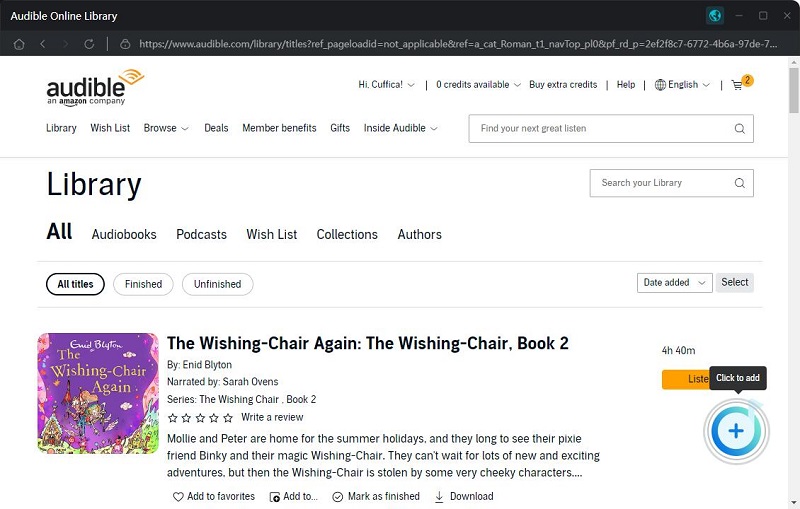
In your Audible library, you can select the audiobooks or podcasts you'd like to convert.

add audiobooks from Audible

Click the "Add to list" button, and the selected audiobooks will be loaded to the window.
add Audible audiobooks

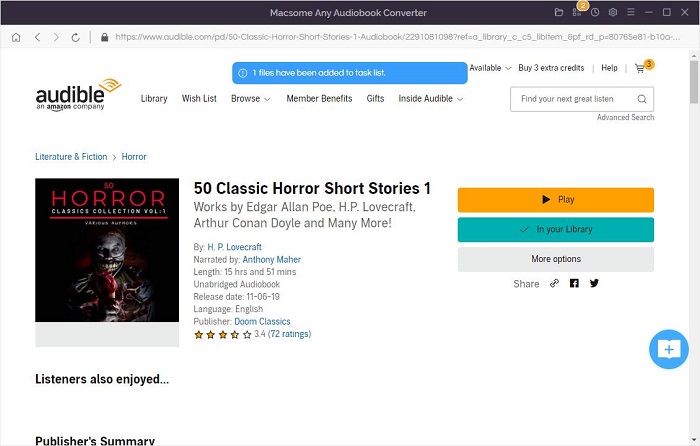
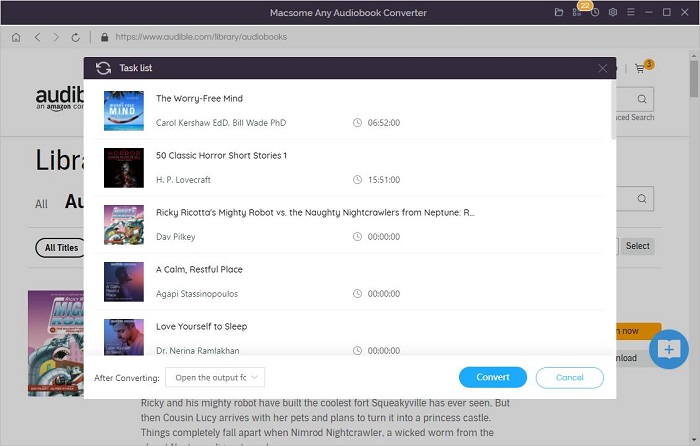
(Optional) If you want to convert other audiobooks or podcasts at the same time, you can click the "Save to list" button. The selected audiobooks will be added to the task list. Then repeat the same step to add other audiobooks. Finally, click the "task list" icon in the upper right corner to check all the added songs.

add Audible audiobooks to task list

check task list

Step 4. Start the Audible Audiobooks Conversion.
Now you can click the "Convert" button, and the Audible audiobooks conversion will begin. From the conversion panel, you can see the "After converting" option, here you can choose to open the output folder directly. Or choose to put your computer to sleep.

convert audiobooks from Audible

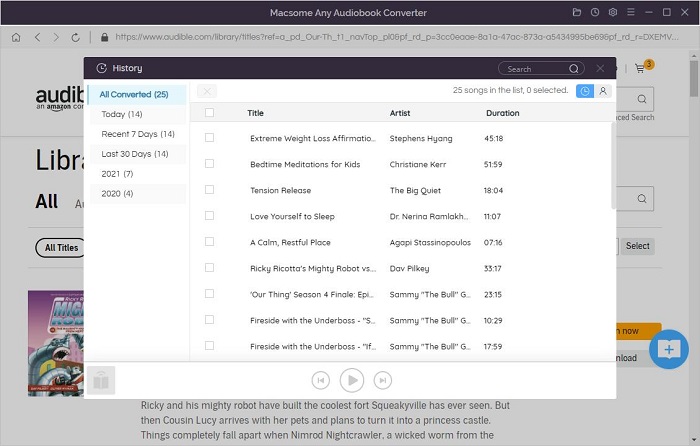
When the conversion is completed, you can find the converted Audible audiobooks from the history button history option in the upper right-hand corner. Click the "folder" icon, you can locate the converted audiobooks in your local folder.

locate the converted audiobooks

Now you have downloaded the audiobooks from Audible Plus on your computer, and then you can transfer the Audible audiobooks to any device for playback freely. 

Tuesday, April 5, 2022

Macsome Inc. Newly Released Macsome Pandora Music Downloader V1.0.0

Macsome Inc. newly launched a new program - Macsome Pandora Music Downloader, which enables you to download music from Pandora, even if you have a Free Pandora account. It has been released on Mar. 25th, 2022.


Macsome Pandora Music Downloader V1.0.0 was released on Mar. 25th, 2022. The new program comes with a simple user interface and advanced features. It is specially designed for Pandora users to download music from Pandora for playback offline easily. 

 Brief Introduction of Macsome Pandora Music Downloader 

Macsome Pandora Music Downloader is available for Free Pandora, Pandora Plus, and Pandora Premium users, which can download music from Pandora on their computer for offline listening. It can also convert Pandora tracks, albums, playlists, and podcasts to MP3, AAC, FLAC, WAV, AIFF and ALAC audio format with original quality. 

The program is fully compatible with both Windows and Mac platforms. It supports the latest Windows 11 and macOS 12 perfectly. 

Here are highlights of Macsome Pandora Music Downloader 

Download Pandora Music Songs, Playlist, Albums and Podcasts

Macsome Pandora Music Downloader enables to download of songs, albums, playlists as well as podcasts from Pandora Web Player. No matter whether you are Pandora Plus & Premium subscriber, or a free Pandora user, you can download music from Pandora on your computer easily. It is simple to find the downloaded songs, even if you cancel your subscription, you can still enjoy Pandora music with ease. 

Convert Pandora Music to MP3, WAV, FLAC, AAC, AIFF, and ALAC

Macsome Pandora Music Downloader is also a powerful Pandora Music Converter. With it, you can convert Pandora Music tracks, playlists, albums, and podcasts to MP3, AAC, WAV, FLAC, AIFF, and ALAC with original quality. Thus, you can play transfer music from Pandora to any device you have. 


Keep Original Music Quality with 10X Faster Speed

Adopting advanced technology, It ensures 100% original output quality while downloading music from Pandora. The output quality depends on the subscription you have. In addition, you can also download Pandora Music at up to 10x faster speed. It also supports batch conversion, which lets you download multiple playlists at the same time. 

Preserve ID3 Tags and Organize Pandora Music Library

 Macsome Pandora Music Downloader can download playlists, albums, tracks, and podcasts from Pandora with original ID3 tags kept, including Title, Artist, Artwork, Album and other metadata information. You can easily organize the output music library by artists and albums. Besides, you can also customize output quality by setting the output audio parameters, like bit rate to get nice audio quality.

In particular, Macsome Pandora Music Downloader is easy to use. With it, you don’t have to install the Pandora Music client on your computer separately. With the Pandora web player built-in, just log in your Pandora Music account, and select content you’d like to download, then you can download the music or podcasts from Pandora easily.


To find out more about the Macsome Pandora Music Downloader, please visit 

https://www.macsome.com/pandora-music-downloader/ 


Pricing and Availability

Macsome Pandora Music Downloader is available to use and order on its official website now. 

New users can download the program and have a free trial. which allows you to convert 3 minutes of three tracks to test. And you can get the full version for $14.95 a month by purchasing and downloading it from Macsome official website. 

For the further information, please visit https://www.macsome.com.


About Macsome Inc. 

Macsome Inc is a software development company which was established in 2008. It is devoted to providing ultimate multimedia solutions to customers worldwide. Main products include Spotify Downloader, Amazon Music Downloader, Tidal Music Downloader, Audiobook Converter, Apple Music Converter and new Deezer Music Converter, and YouTube Music Downloader as well as Pandora Music Downloader. 


Press Contact 

Name: Leo Fan 

Email: market@macsome.com 

Website: http://www.macsome.com 

Order: https://www.macsome.com/order.html

Monday, December 20, 2021

Macsome Inc. Launched 2021 Christmas & New Year Special Offers

 To celebrate the upcoming Christmas and New Year 2022, Macsome has launched a special sales campaign on its featured programs. To return all the customers who continue to support the company, Macsomes Christmas sales with nearly 15% off on its monthly subscription plan till Jan. 10, 2022.


Macsome Inc. is launching a big sale promotion for its featured products to celebrate Christmas and New Year. Users can save up to $2 on their monthly subscription. It is available for almost Macsome flagship applications except for Audiobook Converter. The sale promotion is now live and will last until Jan. 10, 2022.


Now let's see more details about Macsome 2021 Christmas special deals


The featured products on sale include: 


Macsome Deezer Music Converter: The Deezer Music Converter (original price: $14.95, now: $12.95, Coupon code: MS-XMAS-DZ-2M). This professional Deezer Music Converter works on both Mac and Windows platforms, aims to help Deezer subscribers to convert Deezer Music, podcasts, albums, and playlists to plain MP3, AAC, WAV, FLAC, AIFF, and ALAC with HiFi sound quality.


Macsome Tidal Music Downloader: It is an all-in-one Tidal Music Converter (original price: $14.95, now: $9.95, Coupon code: MS-XMAS-TD-2M). With it, you can download Tidal tracks, playlists, albums, and podcasts on your computer. Besides, you can also convert Tidal music to MP3, AAC, WAV, FLAC, AIFF and ALAC formats. Therefore, you can enjoy Tidal music on any device you have.


Macsome Amazon Music Downloader: As the top-seller, Macsome Amazon Music Downloader (original price: $14.95, now: $12.95, Coupon code: MS-XMAS-AM-2M) helps download songs, playlists, albums, and podcasts from Amazon Music Unlimited & Prime Music. Moreover, it also supports converting Amazon Music to AIFF, MP3, AAC, FLAC, WAV, and ALAC with high output quality.


The above three programs are all built-in music web players. You dont have to install extra apps.


Macsome Spotify Downloader: (original price: $14.95, now: $12.95, Coupon code: MS-XMAS-SP-2M). Macsome Spotify Downloader enables to download of music and playlists from Spotify and convert Spotify songs to MP3, AAC, WAV, FLAC, AIFF, and ALAC with lossless quality.


Macsome iTunes Converter: (original price: $14.95, now: $12.95, Coupon code: MS-XMAS-AP-2M). Its an all-in-one iTunes Conversion tool, which allows converting iTunes purchased tracks, Apple Music songs, iTunes or Audible audiobooks to MP3, AAC, WAV, FLAC, AIFF, and ALAC with ID3 tags kept.


For more details about Macsome 2021 Christmas deal promotion, please visit the official promotion page from: https://www.macsome.com/promotion/2021-christmas-sales.html


Pricing and Availability


Macsome 2021 Christmas promotion is valid until January. 10th, 2021. Users can get the Macsome featured programs on their monthly subscription for only $12.95.  

For more info, you can find https://www.macsome.com/promotion/2021-christmas-sales.html

About Macsome Inc

Macsome Inc is a software development company that was established in 2008. It is devoted to providing ultimate multimedia solutions to customers worldwide. Main products include Spotify Downloader, Amazon Music Downloader, Tidal Music Downloader, Audiobook Converter, Apple Music Converter, and newly launched Deezer Music Converter. 

Press Contact

Name: Leo Fan

Email: market@macsome.com

Website: https://www.macsome.com

Facebook: https://www.facebook.com/Macsome-108827811251133 

Order: https://www.macsome.com/promotion/2021-christmas-sales.html 

Thursday, November 19, 2020

Thanksgiving Day & Black Friday offers – Get Macsome Products Up to 50% Off

 To celebrate the Thanksgiving Day, Macsome Inc. official announced their 2020 Black Friday Big sales with up to 50% on the Macsome media converter products to customers worldwide. The event is going to begin in Nov. 24th, 2020 and expires at Nov. 30th, 2020.   

As the holidays approach, The Thanksgiving Day & Black Friday special promotion from Macsome Inc. will start from Nov. 24th 2020 to Nov. 30th, 2020. Anyone can get all Macsome featured programs with big discounts from 20% to 50%, including the newly launched Macsome Amazon Music Downloader, Macsome Tidal Music Downloader and Macsome Any Audiobook Converter. The popular Spotify Downloader and iTunes Converter. 


Main Functions of Macsome New Programs 


Macsome Amazon Music Downloader was newly launched last month. It is specially developed to download Amazon Music Unlimited & Prime Music without Amazon Music application installed. Besides, it can also convert Amazon music to MP3, FLAC, WAV and AAC with ID3 tags kept. 


Another featured new program available in the sales promotion is Macsome Tidal Music Downloader. It is a powerful Tidal Music Converter, which is able to download Tidal Music, playlist and albums to MP3, AAC, WAV and FLAC with hi-fi output quality. 


Macsome Audiobook Converter can convert Audible audiobooks to MP3, M4A and M4B at up to 60x faster speed. It you set the M4A as the output format, you can also keep the primary chapter information for the output files. 


Currently all of Macsome streaming music converters are fully compatible with macOS 10.15 Catalina and Windows 10. And all of them have a free trial version, which let you download it for free and have a trial.  


The following listed the lowest discounted prices for all Macsome programs for sale for 2020 Thanksgiving Day as well as Black Friday for your reference: 


Macsome Amazon Music Downloader for Win                50% off             $9.95 (Original $19.95) 

Macsome Tidal Music Downloader (Mac/Windows)   50% Off    $9.95 (Original $19.95) 

Macsome Audiobook Converter (Mac/Windows)       50% Off    $9.95 (Original $19.95) 

Macsome iTunes Converter (Mac/Windows)   20% Off    $14.95 (Original $19.95) 

Macsome Spotify Downloader (Mac/Windows)       20% Off   $14.95 (Original $19.95) 


Pricing and Availability 


2020 has been difficult for everyone. And Macsome Inc. want to make the holiday special. Regardless of how the people plan to celebrate Thanksgiving, Macsome Inc is committed to ensuring their customers can find what they want, all at affordable prices.  


This promotion is valid from Nov 24th, 2020 until Nov 30th, 2020. Anyone who visit Macsome official website can enjoy the special discount.  For more details about Macsome 2020 Thanksgiving Day and Black Friday sales, please visit the official promotion page from: http://macsome.com/promotion/thanksgiving-day-special-sales-offer.html 


About Macsome Inc 

Macsome Inc is a software development company which established in 2008. It is devoted to providing ultimte multimedia solutions to customers worldwide. Main products include Spotify Downloader, Amazon Music Downloader, Tidal Music Downloader, Audiobook Converter, and iTunes Converter. 


Press Contact 

Name: Leo Fan 

Email: market@macsome.com 

Website: http://www.macsome.com 

Facebook: https://www.facebook.com/Macsome-349755292112722/