Thursday, November 19, 2020

Thanksgiving Day & Black Friday offers – Get Macsome Products Up to 50% Off

 To celebrate the Thanksgiving Day, Macsome Inc. official announced their 2020 Black Friday Big sales with up to 50% on the Macsome media converter products to customers worldwide. The event is going to begin in Nov. 24th, 2020 and expires at Nov. 30th, 2020.   

As the holidays approach, The Thanksgiving Day & Black Friday special promotion from Macsome Inc. will start from Nov. 24th 2020 to Nov. 30th, 2020. Anyone can get all Macsome featured programs with big discounts from 20% to 50%, including the newly launched Macsome Amazon Music Downloader, Macsome Tidal Music Downloader and Macsome Any Audiobook Converter. The popular Spotify Downloader and iTunes Converter. 



Main Functions of Macsome New Programs 


Macsome Amazon Music Downloader was newly launched last month. It is specially developed to download Amazon Music Unlimited & Prime Music without Amazon Music application installed. Besides, it can also convert Amazon music to MP3, FLAC, WAV and AAC with ID3 tags kept. 


Another featured new program available in the sales promotion is Macsome Tidal Music Downloader. It is a powerful Tidal Music Converter, which is able to download Tidal Music, playlist and albums to MP3, AAC, WAV and FLAC with hi-fi output quality. 


Macsome Audiobook Converter can convert Audible audiobooks to MP3, M4A and M4B at up to 60x faster speed. It you set the M4A as the output format, you can also keep the primary chapter information for the output files. 


Currently all of Macsome streaming music converters are fully compatible with macOS 10.15 Catalina and Windows 10. And all of them have a free trial version, which let you download it for free and have a trial.  


The following listed the lowest discounted prices for all Macsome programs for sale for 2020 Thanksgiving Day as well as Black Friday for your reference: 


Macsome Amazon Music Downloader for Win                50% off             $9.95 (Original $19.95) 

Macsome Tidal Music Downloader (Mac/Windows)   50% Off    $9.95 (Original $19.95) 

Macsome Audiobook Converter (Mac/Windows)       50% Off    $9.95 (Original $19.95) 

Macsome iTunes Converter (Mac/Windows)   20% Off    $14.95 (Original $19.95) 

Macsome Spotify Downloader (Mac/Windows)       20% Off   $14.95 (Original $19.95) 


Pricing and Availability 


2020 has been difficult for everyone. And Macsome Inc. want to make the holiday special. Regardless of how the people plan to celebrate Thanksgiving, Macsome Inc is committed to ensuring their customers can find what they want, all at affordable prices.  


This promotion is valid from Nov 24th, 2020 until Nov 30th, 2020. Anyone who visit Macsome official website can enjoy the special discount.  For more details about Macsome 2020 Thanksgiving Day and Black Friday sales, please visit the official promotion page from: http://macsome.com/promotion/thanksgiving-day-special-sales-offer.html 


About Macsome Inc 

Macsome Inc is a software development company which established in 2008. It is devoted to providing ultimte multimedia solutions to customers worldwide. Main products include Spotify Downloader, Amazon Music Downloader, Tidal Music Downloader, Audiobook Converter, and iTunes Converter. 


Press Contact 

Name: Leo Fan 

Email: market@macsome.com 

Website: http://www.macsome.com 

Facebook: https://www.facebook.com/Macsome-349755292112722/  


Friday, June 12, 2020

How to Play Spotify Music on PS4


'How do I listen to Spotify music while playing PS4 games?' It is well-known that Spotify app is available on PS4 now. So, you can play Spotify music on PS4 using Spotify application on your PlayStation 4 and PlayStation 3. With the Spotify Premium subscription, you can stream songs from Spotify to PS4 for offline listening.
In the following we will provide two methods to enable you use Spotify songs on PS4. On one hand, you can stream Spotify music to PS4 through Spotify with PlayStation Music. On the other hand, you can also try to transfer music from Spotify to PS4 by connecting a USB drive. Here's how to play Spotify songs on your PS4 in two different methods.
use spotify on ps4

PART 1. PLAY SPOTIFY MUSIC ON PS4 USING SPOTIFY APPLICATION

As PlayStation Music cooperated with Spotify, it is convenient to use Spotify app on your PlayStation game console. Firstly, fire up your PS4.
1. Click the PlayStation button from the center of your controller. Scroll on the home page, download and install the "PlayStation Music" app, just click start then either sign up or sign in.
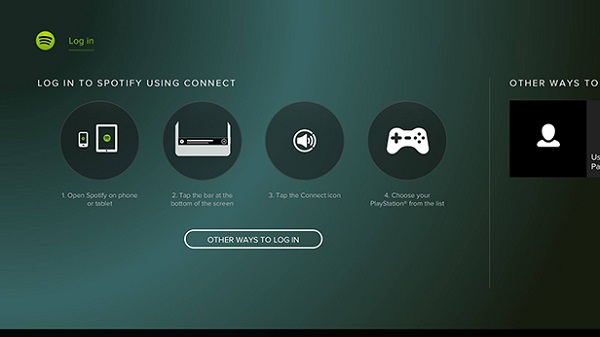
2. When clicking on the "PlayStation Music" app, the system will ask you to create or log into your Spotify profile.
connect spotify with ps4
3. Once you've linked your Spotify account to your PlayStation Network account, you can now play music on Spotify through your PS4 like you would on any other device.

PART 2. DOWNLOAD MUSIC FROM SPOTIFY TO PS4 VIA A USB DRIVE

As we all know, Spotify is a music streaming service. No matter you are free or Premium users, you can only listen to Spotify content within Spotify app. If you are using a Spotify free account, you can only play the songs online with annoying ads. Especially it might low the internet connection speed while you are playing PS4 games.
Instead, we simply offer an alternative solution to the above problems. Owing to PS4 can play common music files from a USB storage device, we can transfer Spotify music to a USB drive. However, Spotify songs are in the protected Ogg Vorbis format, which prevents you copying music from Spotify to other devices like USB.
Take it easy, Macsome Spotify Downloader is recommended for you. It allows you to download Spotify songs, albums and playlist for offline playing without Premium subscription. Furthermore, you can also convert Spotify music to common audio formats, including MP3, AAC, FLAC and WAV. Thus, you can transfer Spotify music to USB easily so that you can listen to Spotify music via USB drive.
Follow the quick tutorial below to play Spotify music on a PS4 through a USB drive using Macsome Spotify Downloader. It works for both Spotify Premium and Spotify Free users. Before started, please make sure you have Macsome downloaded on your computer. Once you do, you'll be able to download music from Spotify to PS4 for playback through the USB drive.
Step 1. Add Spotify Music you want to play to the program.
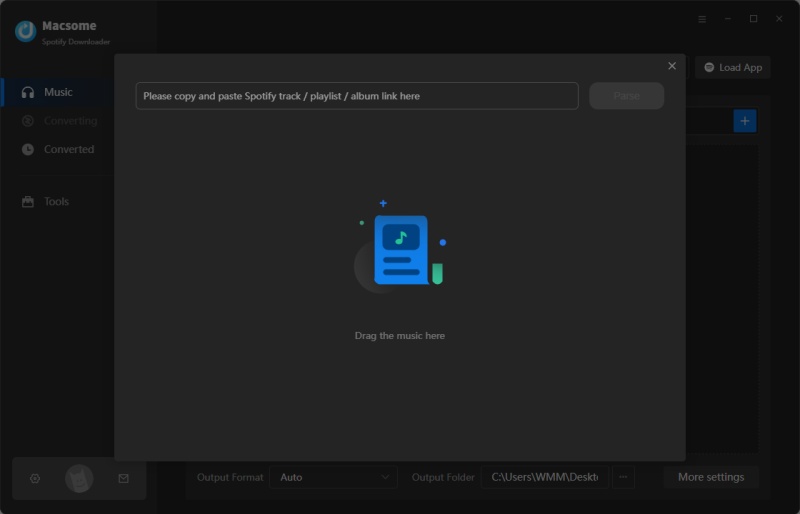
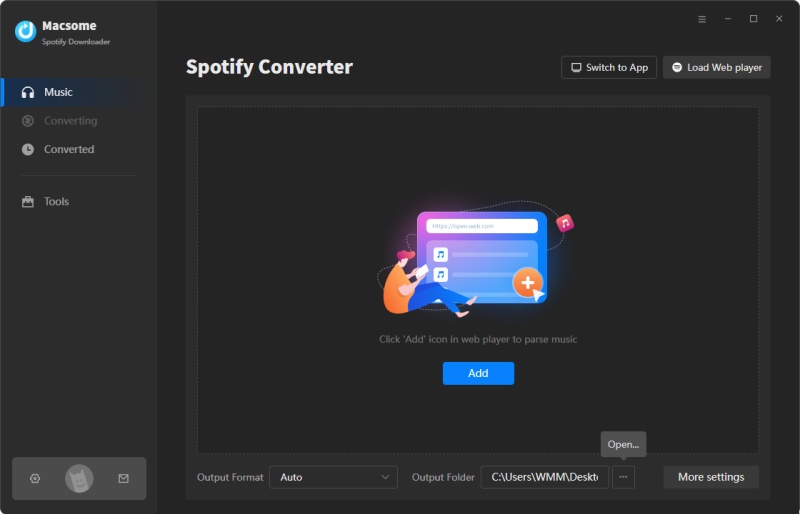
Install and run Macsome Spotify Downloader on your computer. It lets you import music from Spotify in two ways. You can copy the link of the songs and then press "+" button. In addition, you can drag and drop the songs, albums, playlists from the Spotify app to the main screen.
Add Spotify songs to convert
Step 2. Choose output format for PS4.
Because PS4 music player can support MP3 or AAC (M4A) formats. Click the setting button, you can set MP3 or AAC as output format.
set mp3 as output format
Step 3. Start to download Spotify to PS4.
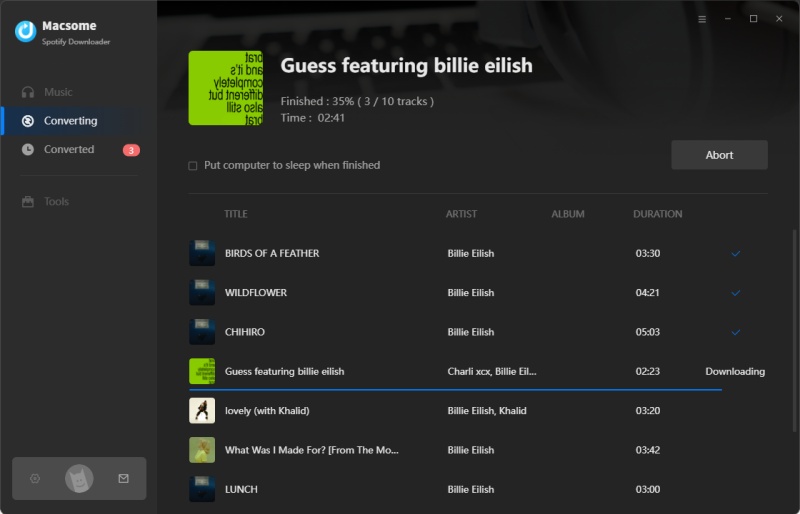
When everything is ready, you can click "Convert" button to start Spotify music conversion process.
After the conversion completed, you can find the downloaded Spotify in the "Converted" panel. Now you can transfer the converted Spotify songs to PS4.
start downloading Spotify playlist to mp3
Step 4. Transfer Spotify Music to PS4 via a USB Drive.
Firstly, connect your USB drive to the computer. Create a "Music" folder on your USB drive,then you can copy and paste the converted Spotify songs on it. Last, plug the USB drive into the USB port on your PS4, the PS4 media player will appear, you can click on your Music folder and listen to Spotify music in the background without interrupting games.