Showing posts with label convert m4p to mp3. Show all posts

Thursday, February 23, 2017

How to convert iTunes M4P to MP3 without iTunes

You know that even you can convert your iTunes music files to MP3 format with iTunes, would you like to try to convert audio tracks to MP3 without iTunes.
Just one third tool makes the conversion simple and fast. 
Macsome iTunes Music Converter is the third tool to help you deal with the whole iTunes playlist including the protected downloaded ones from Apple Music and purchased Audiobooks from iBook or Audible.com. Macsome iTunes Converter can convert them.
Now follow the next guide to feel the easy and fast conversion process.
Step 1, free download the trial version of Macsome iTunes Converter, install it by following the explanations.
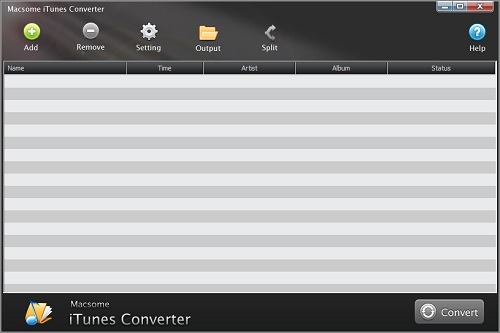
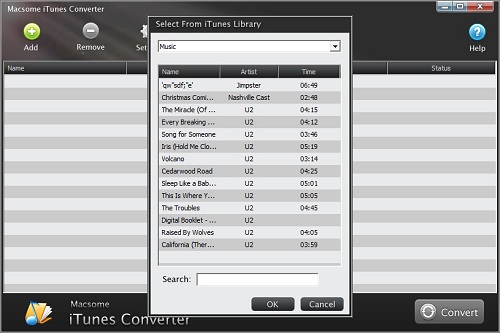
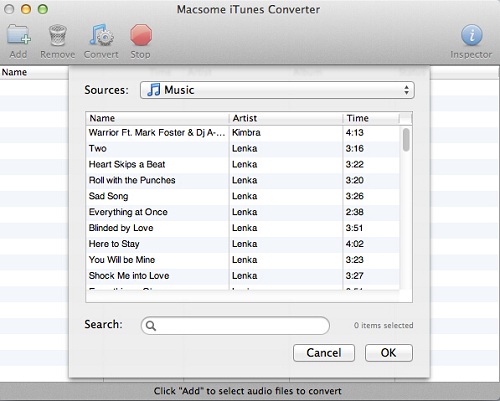
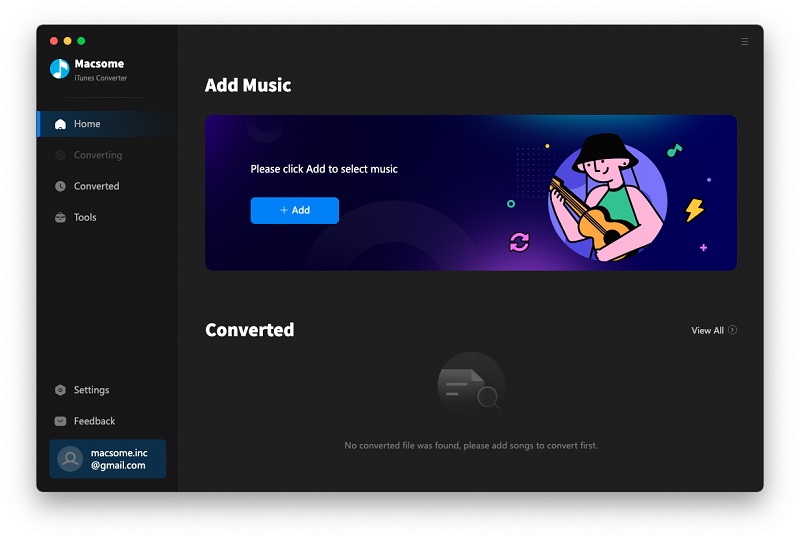
Step 2, Run the iTunes Converter, and click "+" or the middle of interface to load the audio files you want to convert.
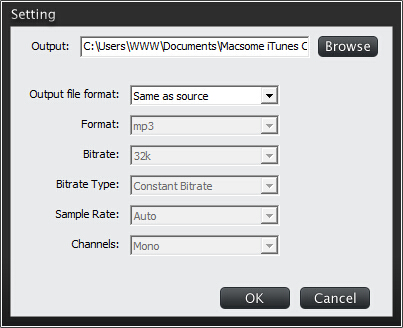
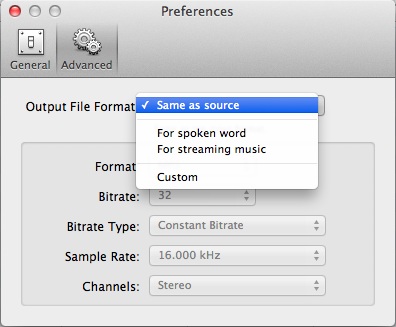
Step 3. Click setting icon to set the output format, output folder. If necessary, you can also reset the related audio parameters.
There are 3 more output audio formats for you to choose except MP3, you can also convert iTunes music to AAC, FLAC and WAV as you like.
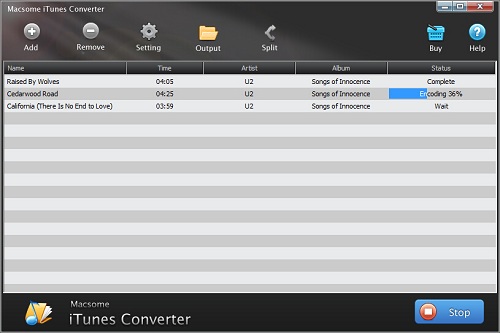
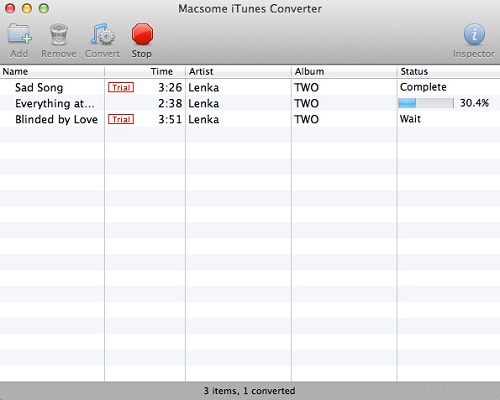
Step 4. Click Convert button to start converting M4P to MP3.
When the conversion is completed, all the M4P files are converted to the MP3 format without DRM any longer, and now you can enjoy the converted MP3 files anywhere as you wish.  
More information about iTunes Converter, go to http://www.macsome.com/itunes-converter-mac/

Tuesday, February 2, 2016

Love songs with Romance for Valentine’s Day – Part 2

Songs about Love is the eternal theme. How to show your love to others. It is the ideal way to sing a song or make a music card with a song with love.
Here are some songs about love with romance, you will like them, especial for the Valentine’s Day

Every song you can find from iTunes Store to buy get a whole M4P song, you can also use the iTunes Music Converter to convert the M4P songs to MP3, and send them with your lover as you like.
1bleeding"Bleeding Love" - Leona Lewis Hot 100 Peak: No. 1 for four weeks (2008)
Ryan Tedder and Jesse McCartney wrote the song, inspired by the latter's long-distance romance with his girlfriend. McCartney wanted the song for himself but his label was unenthusiastic so it went to the winner of the third season of "The X Factor" in the U.K.
Purchase it on iTunes Store
https://itunes.apple.com/us/album/bleeding-love/id266450354?i=266450376

2mylove"My Love" - Paul McCartney and Wings Hot 100 Peak: No. 1 for four weeks (1973)
McCartney wrote "My Love" about one of the members of his post-Beatles band, Wings. The inspiration for the sentimental ballad was Scarsdale, N.Y.-born Linda Louise Eastman, a professional photographer before she married McCartney on March 12, 1969.
Purchase it on iTunes Store
https://itunes.apple.com/us/album/my-love/id375193578?i=375193839
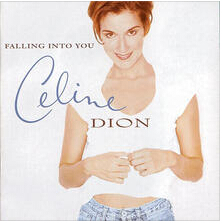
3because"Because You Loved Me" - Celine Dion Hot 100 Peak: No. 1 for six weeks (1996)
After viewing the film "Up Close and Personal," Diane Warren met with director Jon Avnet to talk about her vision of the song she was to compose for his movie. The next morning in her office, she recalls, "The chorus lyrically and musically wrote itself."
Purchase it on iTunes Store
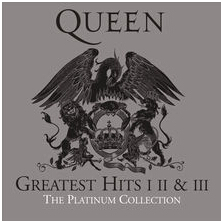
4crazy"Crazy Little Thing Called Love" - Queen Hot 100: No. 1 for four weeks (1980)
Freddie Mercury wrote the song while languishing in his bath at the Munich Hilton. He leapt from the tub and ran to his guitar and piano to lay down the melody. His label was reluctant to release the song in the U.S. but radio stations played the imported U.K. single anyway, forcing an American release.
Purchase it on iTunes Store
https://itunes.apple.com/us/album/crazy-little-thing-called/id932648190?i=932648627

5toknowhim"To Know Him Is to Love Him" - The Teddy Bears Hot 100 Peak: No. 1 for three weeks (1958)
Phil Spector was inspired to write the song by a photograph of his father's tombstone at Beth David Cemetery in New York. The inscription read: "To Know Him Was to Love Him."
Purchase it on iTunes Store
https://itunes.apple.com/us/album/to-know-him-is-to-love-him/id402439710?i=402439713
6loveblue"Love Is Blue" - Paul Mauriat Hot 100 Peak: No. 1 for five weeks (1968)
Five years after he co-wrote Peggy March's No. 1 hit "I Will Follow Him," Mauriat was back on top of the Hot 100 with an instrumental cover of "L'Amor Est Bleu," Luxembourg's entry in the 1967 Eurovision Song Contest. Vicki Leandros performed the song, which placed fourth in the annual songfest.
Purchase it on iTunes Store
https://itunes.apple.com/us/album/love-is-blue-instrumental/id160730394?i=160730708
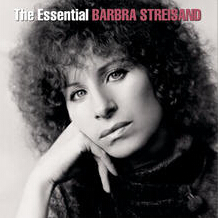
8women"Woman in Love" - Barbra Streisand Hot 100 Peak: No. 1 for three weeks (1980)
Barry and Robin Gibb wrote the song for Streisand but the former told Billboard he gives the artist most of the credit. "At least 80 per cent of the success of the record belongs to her."
Purchase it on iTunes Store
https://itunes.apple.com/us/album/woman-in-love/id201290919?i=201292714

9love"Love Takes Time" - Mariah Carey Hot 100 Peak: No. 1 for three weeks (1990)
Her first album was being mastered when Carey played a demo of this song for label president Don Ienner aboard a plane. Carey was told the song was a "career-maker" and despite her protests, the presses were stopped and the song was added to her debut release.
Purchase it on iTunes Store
https://itunes.apple.com/us/album/love-takes-time/id190173909?i=190174187
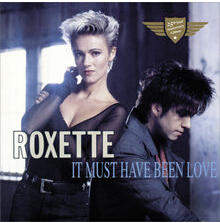
9itmust"It Must Have Been Love" - Roxette Hot 100 Peak: No. 1 for two weeks (1990)
Originally recorded as a Christmas song in Sweden in 1987, this track was revised by Per Gessle when he was asked to update it for the "Pretty Woman" soundtrack. "I heard the director really loved the song," says Gessle. "I also heard he re-edited the movie to get it in there."
Purchase it on iTunes Store
https://itunes.apple.com/us/album/it-must-have-been-love-christmas/id976541442?i=976541448
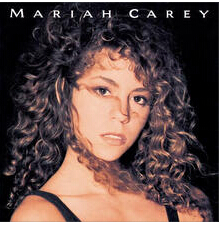
Vision of Love"Vision of Love" - Mariah Carey Hot 100 Peak: No. 1 for four weeks (1990)
Right after she was signed to Columbia, Carey wrote her debut single with Ben Margulies. She described the composition as being not so much a love song as a celebration of her life at the time.
Purchase it on iTunes Store
https://itunes.apple.com/us/album/vision-of-love/id169605890?i=169605940

Part 2 How to play purchased songs on MP3 player

After you purchased these songs, you can play them on MP3 player without limitations.
  1. Free download and install the iTunes Converter on your PC, run it.
If you are a Mac user, please download the iTunes Converter for Mac version.
interface
  1. Click the Add button to add the audio files to convert.
add1
  1. Click Setting button to set the output format and output path before the conversion as your need.
setting
  1. Click the Convert button to start converting.
converting

Now when it finished the conversion, you can play the unprotected MP3 music songs wherever as you like.

Monday, January 25, 2016

Love songs with Romance for Valentine’s Day — Part 1

Nowadays, people not only use the words “I love you”, “You are my No 1.” “My lover” and do on to show their loves to their girlfriend, boyfriend, wife, husband and so on. A song with romance and love is also the ideal way to show your heart.

From now on, I will search and select some romantic songs to welcome the following Valentine’s Day. Every song you can find from iTunes Store to buy get a whole M4P song, you can also use the iTunes Converter to convert the M4P songs to MP3, and send them with your lover as you like.
1
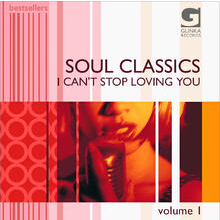
“I Can’t Stop Loving You” — Ray Charles Hot 100 Peak: No. 1 for five weeks (1962)
Back in 1958, Don Gibson wrote two songs one hot afternoon in Knoxville, Tenn. — “Oh Lonesome Me” and “I Can’t Stop Loving You.” Four years later, Charles only needed to hear the first two lines of the latter before deciding to record it for his album “Modern Sounds in Country and Western Music.”
Find it from iTunes Store:
 

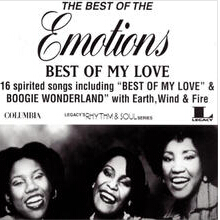
2“Best of My Love” — The Emotions Hot 100 Peak: No. 1 for five weeks (1977)

When the Stax label folded, the three Hutchinson sisters had to find a new home. They were signed to a production company run by Maurice White of Earth, Wind & Fire. With group member Al McKay, White wrote this song specifically for them and the lead voice of Wanda Hutchinson.
Find it from iTunes Store:
3

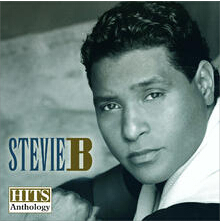
“Because I Love You (The Postman Song)” -Stevie B Hot 100 Peak: No. 1 for four weeks (1990)

Songwriter Warren Allen Brooks says his No. 1 hit was a “spiritual song,” even if people think he was writing about love between a man and a woman. “It’s really about me and God having a personal relationship.”
Find it from iTunes Store:
 4

“Let Me Love You” — Mario Hot 100 Peak: No. 1 for nine weeks (2005)

Mario didn’t realize this song was going to be so huge. “I didn’t know it would touch so many people,” he says. “But it was an emotional song and those records last forever.”
Find it from iTunes Store:
 5-0

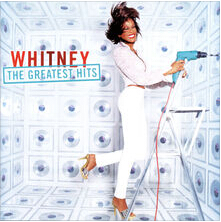
“I Will Always Love You” — Whitney Houston Hot 100 Peak: No. 1 for 14 weeks (1992)

Houston’s signature song was originally a No. 1 hit for the woman who composed the tune, Dolly Parton. Her version topped the Hot Country Songs chart in 1974 and again in 1982.
Find it from iTunes Store:
 5-1

“Silly Love Songs” — Wings Hot 100 Peak: No. 1 for five weeks (1976)

1976 was a very good year for love songs achieving pole position on the Hot 100. First there was “Love Rollercoaster” by the Ohio Players, followed by Paul Simon’s “50 Ways to Leave Your Lover,” “Love Machine” by the Miracles, “Let Your Love Flow” by the Bellamy Brothers, “Love Hangover” by Diana Ross and the longest-running “love” No. 1 of the year, Wings’ “Silly Love Songs.”
Find it from iTunes Store:
 6

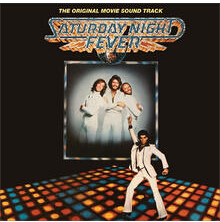
“How Deep Is Your Love,” Bee Gees Hot 100 Peak: No. 1 for three weeks (1977)

Barry, Robin and Maurice Gibb hadn’t seen the script for the movie that became “Saturday Night Fever” when they wrote “How Deep Is Your Love” for the soundtrack. They weren’t even certain that there was a love scene in the film. They intended the song for Yvonne Elliman, but their manager Robert Stigwood insisted they record it themselves.
Find it from iTunes Store:
 7

“We Found Love” — Rihanna feat. Calvin Harris Hot 100 Peak: No. 1 for 10 weeks (2011)

What could be more romantic than finding love in a “hopeless place”? Rihanna scored the biggest hit of her career (and the top ‘love’ song of the 21st century) with only her fourth Hot 100 entry to feature “love” in the title, following “If It’s Lovin’ That You Want” (2005), “Hate That I Love You” (2007) and her featured role on Eminem’s “Love the Way You Lie” (2010).
Find it from iTunes Store:
 9

“I’ll Make Love to You” — Boyz II Men Hot 100 Peak: No. 1 for 14 weeks (1994)

When the members of Boyz II Men first heard Babyface’s composition “I’ll Make Love to You,” they were concerned about recording a song that was too similar to their previous hit, “End of the Road.” Nathan Morris explains, “The record company talked us into doing it and thank God it worked.”
Find it from iTunes Store:
 10

“Endless Love” Diana Ross & Lionel Richie Hot 100 Peak: No. 1 for nine weeks (1981)

Producer Jon Peters and director Franco Zeffirelli asked Lionel Richie to compose an instrumental along the lines of the theme from “Love Story” for their movie starring Brooke Shields. When Zeffirelli changed his mind and asked Richie if he would add lyrics, the Motown star agreed to write some. Then Zeffirelli made one more request — to add a female singer, someone like Diana Ross.
Find it from iTunes Store:
You May Also Be interested in

Thursday, November 19, 2015

How to transfer Apple Music from M4P to MP3

Even when you subscribe the Apple Music service, you can enjoy all the Apple Music files online or offline. But you know that all Apple Music files are protected M4P format with Apples Fairplay DRM, in other words, you can only use Apple Music to enjoy the music files instead of other MP3 player and like this.
If you want to play Apple Music songs on MP3 player, you need to convert Apple Music from M4P to MP3 and then transfer them to your MP3 player easily and enjoy them freely.
Here recommend you an all-in-one yet simple Apple Music Converter – Macsome iTunes Converter, which is used to convert any protected iTunes music files to MP3 / AAC and so on. If you can play these iTunes music files, you can use the iTunes Converter to convert them.
Quick guide to convert Apple Music files from M4P to MP3.
Step 1: Free download and install Macsome iTunes Converter and run it.
Tips: Download iTunesConverter.dmg by clicking http://www.macsome.com/iTunesConverter.dmg.
Step 2. Load Apple Music files to convert.
Click Add button and choose the Music library and add the files you want to convert.
add-music
Step 3. Click Macsome iTunes Converter Menu, and in the drop-down list, choose Preferences, turn to Advanced to set the output format.
output
Step 4: Click Convert button to start removing DRM from Apple Music.
converting
 After the conversion process is finished, you can play the converted Apple Music MP3 files anywhere and anytime as you like.

M4P VS MP3
M4P stands for MPEG 4 Protected (audio). The M4P file extension is seen in an Apple iTunes purchased song which uses Apples “Fairplay” DRM (digital rights management). Unprotected AAC  files have an M4A extension.
M4P files can usually only be opened with iTunes and the computer must be authorized prior to playing transferring from an iPod or burning the file. An iTunes account can be authorized on five computers and an iPod may contain the content from a maximum of five accounts.
AAC or M4P file quality is better and file sizes smaller compared to MP3 files.
MP3 (MPEG-1 Audio Layer-3) is a standard technology and format for compressing a sound sequence into a very small file (about one-twelfth the size of the original file) while preserving the original level of sound quality when it is played.
MP3 provides near CD quality audio. It is one of the most common music file types. It is not an MPEG 3 but uses the audio compression found in layer III in MPEG 1 or 2 video files, the audio stream layer.

Saturday, September 5, 2015

How to convert M4P to MP3 from Apple Music Store on Mac

Apple Music M4P to MP3
All the M4P files from Apple Music Store are DRM protected, you can’t play these DRM M4P files on many audio player and MP3 player devices. How to solve the problem so as to play the DRM M4P on MP3 player on Mac as you like?
Macsome iTunes Converter is the right answer to help Mac users to convert any DRM M4P music songs including Apple Music M4P to MP3 format and remove DRM from protected audio files with lossless audio quality output.
Step-by-step guide to convert M4P to MP3 with the help of Macsome iTunes Converter.
Step 1, free download the trial version of Macsome iTunes Converter, install it by following the explanations.
Step 2, Run the iTunes Converter, click Add button to add the files from Music library you want to convert.
Add Apple Music to convert
Convert M4P to MP3

Step 4. Click Convert button to start converting Apple Music.

When the conversion is completed, all the M4P files are converted to the MP3 format without DRM any longer, and now you can enjoy the converted MP3 files anywhere as you wish.  
More information about iTunes Converter, go to http://www.macsome.com/itunes-converter-mac/index.html

Tuesday, August 11, 2015

How to backup iTunes music files before you subscribe Apple Music

Some ones said that when they subscribed Apple Music, their primary music files are lost and can’t find back any more, even several files are what they purchased from iTunes Store previously.
Now if you are the one which haven’t subscribed Apple Music and want to get one, why not try to backup your iTunes music files just in case.
Macsome iTunes Converter can backup all your iTunes music files (DRM protected or not). What you can play on iTunes, you can use iTunes Converter to convert it.
Install and run the iTunes music converter.
User interface of iTunes Converter
Click Add button to load all the playlist or audio books and so on to iTunes Converter and be ready to convert.
Add iTunes Music to Convert
Go to Menu – Preferences – Advanced to set the output audio format. Here we can just choose Same as source.
Convert M4P to MP3
Click Convert to start iTunes music conversion.
Convert iTunes Music
After the conversion, you will find all your iTunes music files whether protected or unprotected files are in the format of MP3, and you have backup to your computer already.
More detailed info about iTunes Converter, go to http://www.macsome.com/itunes-converter-mac/index.html know more/

Tuesday, July 21, 2015

How to convert Apple Music M4P to MP3 so as to backup Apple Music

Apple Music is a revolutionary streaming service and app that puts the entire Apple Music catalog at your fingertips across your favorite devices. Starting with the music you already know — whether from the iTunes Store or ripped CDs — your music now lives in one place alongside the Apple Music catalog with over 30 million songs. You can stream any song, album or playlist you choose.
Apple Music gives users more freedom to enjoy the music by themselves. If you subscribe Apple Music service, and you can enjoy the music without any limitations, when you cancel the service, all the playlist and music songs will be removed, what a pity.
Would you like to remove the limitation and keep Apple Music longer as you like?
Would you like to convert Apple Music to MP3 player in order to play them on MP3 player?
Macsome iTunes Converter makes the problem easy and fast to deal with. As an all-in-one Apple MusicConverter and iTunes music Converter, iTunes Converter uses 5X recording and encoding to MP3 / AAC technology, during the process, the DRM has been removed, and Apple Music files have been converted to MP3.
The Apple Music M4P to MP3 conversion is very simple, just follow the next steps, you can get your MP3 files from Apple Music as you like.
Step 1: Go to the webpage and free download the latest version of iTunes Converter, install and run it.

Step 2: Click Add button and choose the library and add the files you want to convert.
Step 3: Click Menu – Preferences – Advance to set the output format.
Step 4: Click Convert button to start M4P to MP3 conversion.
Batch conversion is also supported by iTunes Converter. And there is no need to convert files one by one.  
A few minutes later, the conversion will be finished, and right click to find the folder to go to the converted files directly.
It is so cool, why not free download the trial version and take a try. More info from: http://www.macsome.com/itunes-converter-mac/index.html