Tuesday, March 19, 2019

Apple Music Now Available on Amazon Fire TV

Good news for Amazon Fire TV with Apple Music users, there is no need to convert Apple Music and then upload to Amazon Music Unlimited. You can directly ask Alexa to play songs from the Apple Music service.
Amazon today expanded its Apple Music integration to the Amazon Fire TV, allowing Fire TV owners to ask Alexa to play songs from the Apple Music service.

According to CNBC, Apple Music on the Amazon Fire TV is available starting today.

The expansion comes three months after Apple allowed Apple Music to be streamed on Amazon Echo speakers using the Alexa voice assistant.
On the Fire TV, users can use commands like "Alexa, play music by Stevie Nicks," or "Alexa, play a Fleetwood Mac album" to play content directly from Apple Music.
It can be enabled by going to the Alexa app on an Android or iOS device and activating the Apple Music skill. Those who have already set up Apple Music with Alexa for Echo devices will not need to repeat the steps.
Right now, Apple Music is limited to the Fire TV and Amazon Echo speakers, though it may be expanded to third-party Alexa devices in the future.
Apple's effort to allow Apple Music to be streamed on third-party platforms is part of a deeper push to grow services revenue. Apple is also planning to expand iTunes to Samsung Smart TVs in the form of an iTunes app, and AirPlay 2 functionality is being built into recent smart TV sets from a number of manufacturers like Sony and LG.
More Tips about Apple Music:

Thursday, March 14, 2019

Proven Method to download the hottest podcast on Spotify

More and more popular Podcasts can be enjoyed on Spotify, sometimes you know that you don't have the good internet or you need to download these podcasts so as to play them offline, or you maybe like to transfer these downloaded podcasts to your MP3 and like so on.
Please don't worry, with the following guide, you can free download Podcasts, music tracks, playlists as many as you like, and you can also copy and transfer the download files to other devices without the amount limitations.
To complete the downloading easily and quickly, here we need a helper – Macsome Spotify Music Downloader. With it, users can download Spotify music tracks, playlists and podcasts and save them to MP3, AAC, FLAC or WAV with almost 100% output quality and fast speed. With the conversion, all ID3 tags and metadata including title, artwork, artist, album, and track number will be kept in order to organize your music library.
Step 1. Go to download and install Macsome Spotify Music Downloader for Mac and run it.
Windows Version Download
Mac Version Download
Step 2. Drag and drop the podcast playlist from Spotify to Macsome Spotify Music Downloader.
Open Spotify application, check the podcast playlists you would like to convert, and then drag them to add window.


If you want to convert the whole playlist, just click "OK" to load all the files to convert, or you can choose some one or more files to convert.
Step 3. Set the Output Format.
Directly click setting button on the program interface to open the Preferences window.
In the output settings, you could change the output folder as you prefer.


Step 4. Start Conversion
After the above steps, now click "Convert" button to start conversion.


After the conversion, you can open the output folder to find the converted podcast files and then play and listen to them anytime as you like.
More Spotify Tips you want to read:

Monday, March 4, 2019

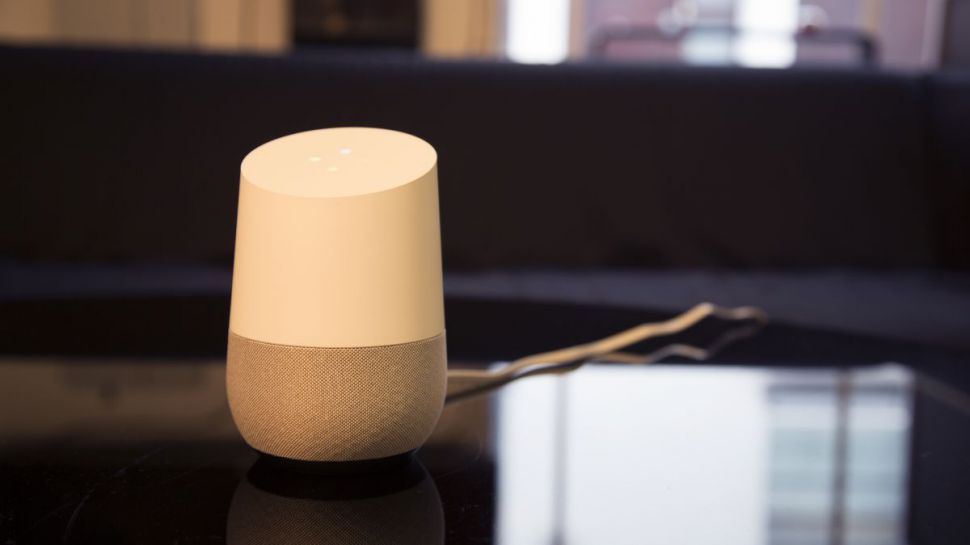
Google Home isn't getting Apple Music, at least for now

Q4o8Snxa4JdziEy9K2iRQS-970-80
For a second there it looked like Google Home was gearing up to partner with one of its major rivals in home audio and music streaming: Apple Music.
An iOS user noticed that Apple Music had joined the ranks of compatible music streaming services listed on the Google Home app, alongside Spotify, Deezer, Pandora, YouTube Music – and naturally, Google Play.
The Apple Music integration didn't seem to be functional yet, but the fact it was appearing on the iOS app suggested the launch was imminent.
However, we now have official word from Google about whether Apple Music is really coming to Google Home – and it's probably not happening.
As reported by Bloomberg, Google blamed the appearance of Apple's music service on the Google Home iOS app as a bug, caused by confusion with the Google Assistant AI – which does work with Apple Music (say through a smartphone) though not through the Google Home speaker itself.
In order to play Apple Music with Google Home, we need Macsome iTunes Converter’s help. As you know that all the files via Apple Music are DRM protected. That is to say, you can’t freely play these Apple Music downloaded files via Google home freely, unless you can remove DRM from Apple Music files and then upload the converted files to Google Play Music and then you can use Google Home to play the converted music files easily and freely.
More Apple Music Tips:

Friday, February 22, 2019

How to play Apple Music via Amazon Echo

audio-books-listen
Apple Music supports streaming music like Amazon Music Unlimited, which are DRM protected. That is to say, you can't freely transfer them to other audio players even you have "downloaded" for playing offline
Similarly, you can't upload these downloaded Apple Music songs to Amazon as well. If you can remove the annoying DRM, and then you can upload them to Amazon without limitation any longer.
Macsome iTunes Converter is the tool which you are looking for. It supports an ideal solution for converting protected iTunes Audio files, including downloaded Apple Music files, and purchased music and Audiobooks from Audible.com and so on.
First of all, free download the Apple Music files you want.
Open your iTunes, and find your whole Apple Music category. And then select the Apple Music files, click "..." to add them to "Playlist". After this, you can choose the Playlist and click the cloud icon to download it to play offline.
Second, free download the latest version of Macsome Apple Music Converter, install and run it.
Windows Version Download
Mac Version Download
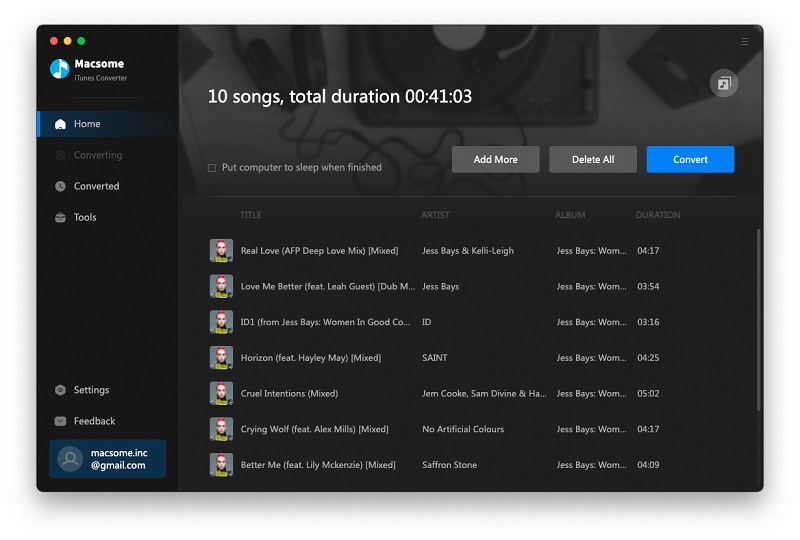
Third, when you click "+" button, all the music files including the downloaded Apple Music files will be listed, now select them and click "OK", and all the music files has been added. Batch conversion is also supported.
Add downloaded Apple Music songs
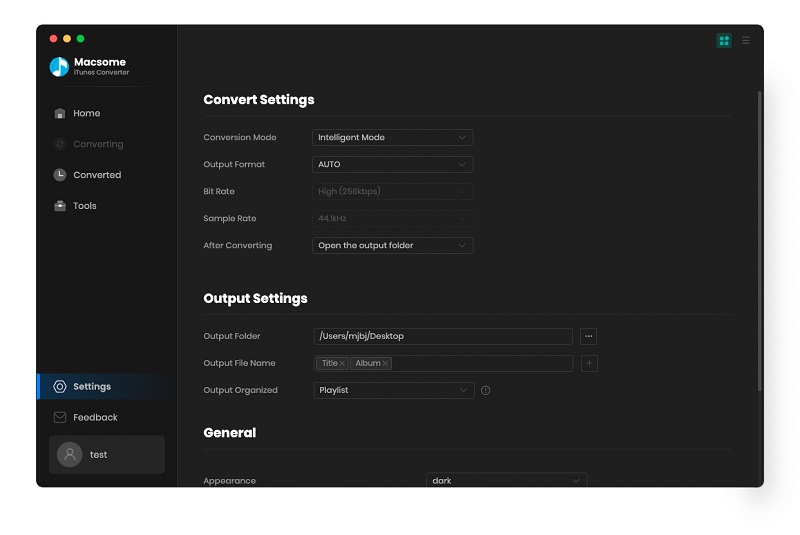
Forth, after you add these music files, now you can click the setting icon to set the output format and output folder. Here are MP3, AAC, FLAC, WAV for kinds of users.
Preferences output Settings
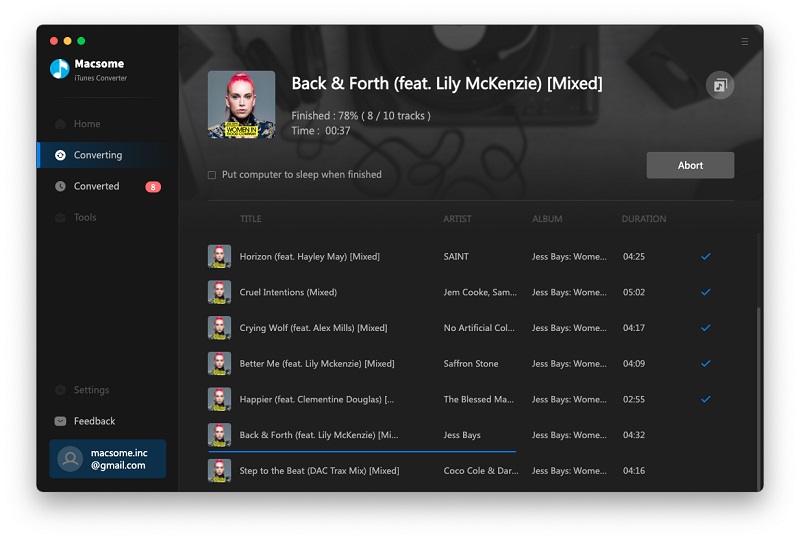
Fifth, you can click "CONVERT" button and start conversion.
Converting Apple Music songs to MP3

Upload the Converted Apple Music Songs to Amazon

After the conversion, you can upload the converted Apple Music songs to My Music on Amazon from your computer. And then you can control the music playing via your Alexa device.
Amazon.inc supports free users up to 250 songs storage to My Music.
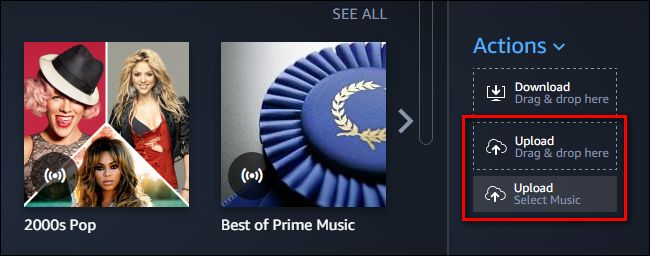
Now Run Amazon Music app on your PC or Mac and log in your ID, then drag and drop files from your computer into the Upload selection in the right sidebar under Actions.
Upload Apple Music to Amazon music
And then Select My Music > Songs > choose Offline filter in the right navigation sidebar and click the upload icon to choose the converted Apple Music files or folder to upload. And now you can start uploading.
Upload music to Amazon
After the above steps, you can use Alexa to play these songs on your Amazon Echo and so on.
Read More Apple Music Tips:

Wednesday, February 20, 2019

SoundCloud Now Lets You Distribute Your Music to Spotify, Apple Music

SoundCloud
SoundCloud is getting into the distribution game. A new set of tools in their SoundCloud Premier program, announced today, allow SoundCloud Pro or Pro Unlimited users to distribute their music to other platforms that aren’t SoundCloud, including Spotify, Apple Music, Amazon Music Unlimited, YouTube Music, and other streaming services.
Artists that use the new SoundCloud Premier distribution feature “keep 100% of their rights, keep 100% of their distribution royalties from third-party services, and pay no distribution fees,” according to a press release.
Last fall, Spotify announced that it would begin allowing artists to upload music to its streaming service directly instead of going through distribution services. In October 2018, the Verge reported on terms in the SoundCloud Premier contract that would prohibit artists from pursuing legal action against the company under any circumstances, as well as ambiguous language with regards to payout schedules for artists. (SoundCloud subsequently amendedthe contract to address that report.)
Source from https://edm.com/news/soundcloud-distibution-premium-accounts
More news you want to know:

Thursday, January 31, 2019

American Airlines will be able to stream Apple Music over in-flight Wi-Fi for free

apple-music-takes-flight-on-american-airlines-playlist-a
Apple Music is taking flight in more ways than one.
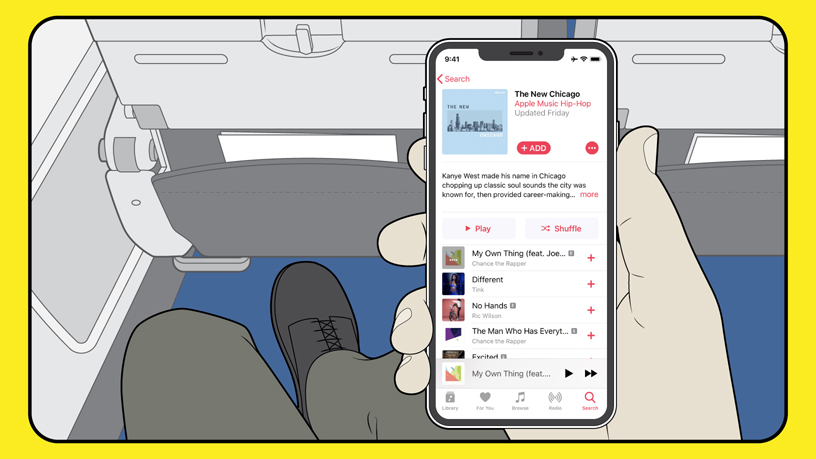
The company announced Tuesday a partnership with American Airlines that will allow Apple Music subscribers to stream songs, playlists and music videos on any domestic flight equipped with ViaSat satellite Wi-Fi for free. This makes American the first commercial airline to provide exclusive access to Apple Music through complimentary Wi-Fi.
 
"For most travelers, having music to listen to on the plane is just as important as anything they pack in their suitcases," said Oliver Schusser, vice president of Apple Music in a press release. "With the addition of Apple Music on American flights, we are excited that customers can now enjoy their music in even more places."
Those who subscribe to Apple Music will be able to access the service on Apple devices equipped with the platform, including iPhones, iPads, Macs and Android phones. Those who don't have a subscription, however, could sign up for a free three-month trial once on board. The new deal begins Friday.
"Our guests want to make the most of their time when flying us. That's why we're investing in faster Wi-Fi, a variety of entertainment options, and why we're so excited to introduce Apple Music to more of our customers," said Janelle Anderson, vice president of global marketing at American, in the press release.
Apple Music's partnership with American comes months after integrating the service with the Amazon Echo. Earlier in January, Verizon announced its plans to include Apple Music subscriptions in some of its top-tier U.S. data plans.
Apple Music's subscriber count still lags behind Spotify's 87 million subscribers recorded last November. While Spotify has a free version of their service, Apple Music only has a three-month free trial.
 
During the company's most recent earnings call, CEO Tim Cook said iTunes reached its highest quarterly revenue thanks to Apple Music, which now has over 50 million paid subscribers. The app helped Apple's services revenue reach $10.9 billion in the December quarter, which is up 19 percent from the previous year.
"We not only generated our highest global services revenue ever, but we also had all-time records across multiple categories of services including the App Store, Apple Pay, cloud services and our App Store search ad business and we had a December quarter record for AppleCare," Cook said during the call.
Source from https://www.cnbc.com/2019/01/30/american-airlines-to-offer-free-apple-music-streaming-on-flights.html

Wednesday, January 23, 2019

Users will be able to Block Bands on Spotify

industry-insider---spotify
Go ahead and get the “Thank U, Next” joke out of your system. I’ll wait. Because that’s exactly what you’ll be doing with Spotify’s latest feature: telling various bands you can’t stand that you no longer want them to pop up on the curated playlists you otherwise enjoy.
And this isn’t just about annoying music. There are very legitimate reasons why you might have a moral objection to certain artists—known serial abusers, for example—and you’d rather they just go away for good. If you’re lucky, you might even be able to boot them out of your Spotify life right now.
As Thurrott reported yesterday, Spotify appears to be testing the new artist-blocking feature “with a smaller group of users.” I’m not running any alpha or betas of the Spotify app, but I noticed that I have the feature. You should check, too, as turning it on for any artist you dislike will ensure you don’t have to hear them on Spotify ever again. As Mehedi Hassan describes:
“This means it will block music from that artist on your personal library, playlists, automatically curated playlists, charts, radios, and everything else. In fact, you won’t be able to manually play music from an artist you’ve blocked even if you wanted to — and you’d have to unblock an artist before you can play a certain track from them. Blocking an artist doesn’t block tracks they have featured on, however.”
You would think that it would be easy to block an artist the minute one of their songs pops up, but the process is a bit more involved than that. When you tap on the triple-dot icon next to a song’s name in the Spotify app, the context menu doesn’t give you a way to block the artist outright.
Instead, you’ll have to scroll down a bit and tap on “View artist,” or just visit an artist’s Spotify page directly in the app. (Though I can access artist-blocking features on my iOS Spotify app, I didn’t see them on the web-based player or the Android app when I wrote this article.)
Once there, you’ll have to tap the same triple-dot icon in the upper-right corner of the app to access the contextual menu for the artist in question. If you have access to Spotify’s blocking feature, you’ll see a new option that reads, “Don’t play this artist.” Tap that, and you’ll be (almost entirely) free from them on Spotify—or, at least, until you have a change of heart (or become obsessed with a new single). If that happens, you’ll have to visit the artist’s page again to remove your block.
And it’s important to note that this “block” isn’t like to a Facebook block, where you’ll never see that which you block on the service. When I blocked Abba on Spotify, for example, they still appeared on Jonathan Van Ness’ (incredible) playlists. However, when I ran through the playlist, Spotify automatically skipped any and all Abba songs. (Sorry, Jonathan!)
There’s no word on when Spotify might roll this feature out to more users, so keep checking the app if you don’t have the blocking ability. You could also try enrolling in the service’s alpha or beta tests, if you want speedier access to whatever the company is working on.
Source from https://lifehacker.com/how-to-block-bands-on-spotify-1831951659