Showing posts with label audiobook converter. Show all posts

Tuesday, August 16, 2016

Howto get rid of DRM on paid Kindle Audiobook

We know that Kindle Audiobook are purchased from Audible.com, and people can use Audible.com to download audiobooks to your iPhone, Android, Windows Phone, Kindle or other listening device and listen to Audible audiobooks by best-selling authors anytime.
After you paid the Audiobook, you can listen to the Audiobook after you authorize the device, for the DRM limits you.
Here Macsome Audio Book Converter can help you.
All the steps to get rid of the DRM are quite simple, and no additional app to install.
First, free download the software according to your computer system, and install it on your computer.
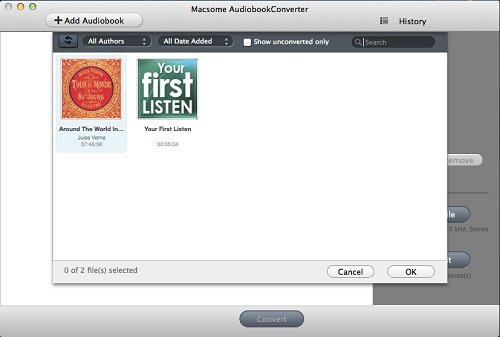
Then run the Audiobook Converter, and it will shows all playable audiobooks from the iTunes Books library automatically.
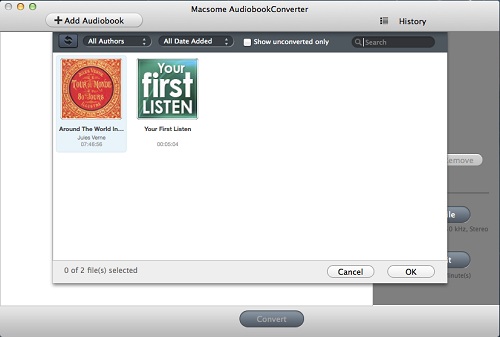
add-itunes-audiobooks
Please make sure that you have authorized the purchased Audiobooks to the device or the computer so as to play them normally.
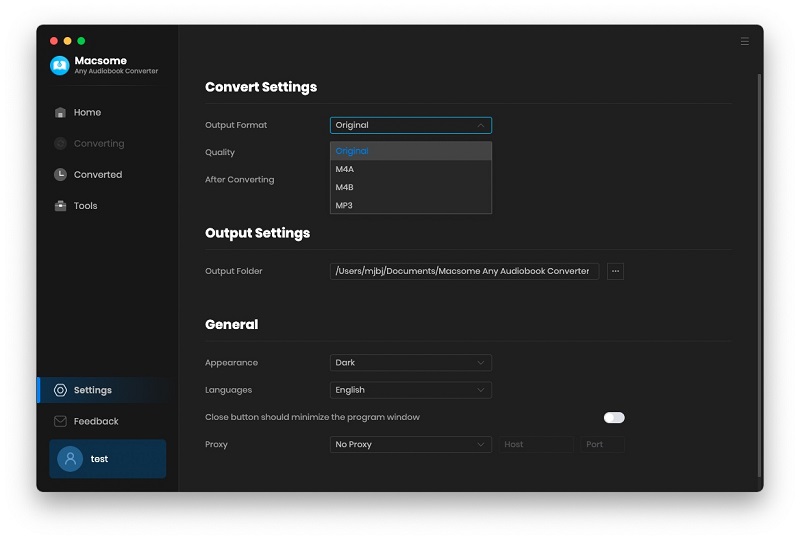
And now click Profile button and select the required profile in Output File Format drop-down list.
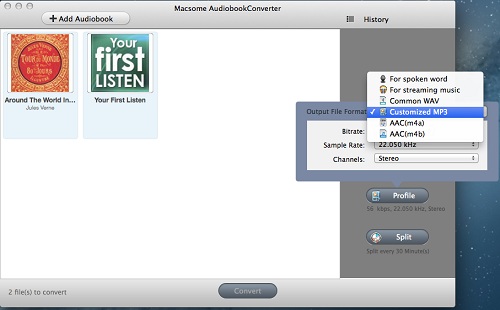
set-output-format
You can also click the Macsome AudioBook Converter menu and select Preferences to customize the Output Settings by clicking Choose... to set the destination.
set-output-folder
Finally, click the Convert button to start the conversion. Meanwhile the paid Audiobook’s DRM is removed as well.
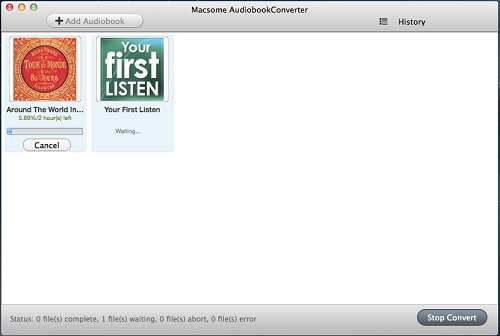
convert
After the conversion is done, you can play the purchased Kindle Audiobook on any MP3 or other audio player as you like without DRM any more.


Saturday, May 28, 2016

Howto purchase Audiobook from Audible.com and convert them to MP3 format

 audiobook
Audible sells digital audiobooks, radio and TV programs, and audio versions of magazines and newspapers. Through its production arm, Audible Studios, Audible has also become the world's largest producer of downloadable audiobooks.

Purchase Audiobook on Audible.com

Users can use Audible.com to download audiobooks to your iPhone, Android, Windows Phone, Kindle or other listening device and listen to Audible audiobooks by best-selling authors anytime.
  1. Go to audible.com
  2. Browse Audible's selection or search for an audiobook that you'd like to purchase.
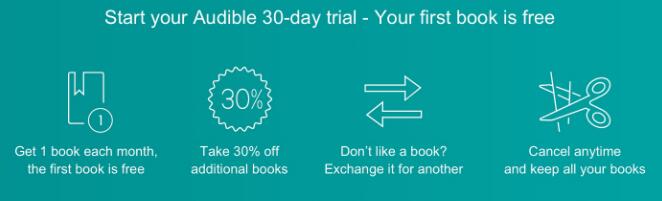
  3. Purchase the audiobook: If you're not currently an Audible member: Select Start your free trial or Buy with 1-Click.
audible-services

Convert Purchased Audiobook to MP3 format

After the purchase, you can download the Audiobook on your computer, and now go to free download Macsome AudioBook ConverterWindows users click here .
First of all, Install it on your computer.
Step 1. Run the Audiobook Converter. The Audio Book Converter loads all playable audiobooks from the iTunes Books library automatically.
add-itunes-audiobooks
Please make sure that you have authorized the purchased Audiobooks to the device or the computer so that you can play them normally.
Step 2. Click Profile button and select the required profile in Output File Format drop-down list.
set-output-format


Step 3. Click the Macsome AudioBook Converter menu and select Preferences to customize the Output Settings by clicking Choose... to set the destination.
set-output-folder


Step 4. Click the Convert button and then the selected files will be listed in the window that pops up. And the Status will keep updating the status of the files until that the conversion finished.
convert


After the conversion is done, you can play the purchased Audiobook on any MP3 player as you like without any limitations.

Wednesday, January 21, 2015

How to remove DRM from protected Audiobooks and convert to MP3 / AAC

Audiobooks you purchased from iTunes Store are often protected by DRM protection that only allows you to listen to these audio books on your iPhone, iPad or iPod. If you want to play them on mp3 players such as PSP, Blackberry, Creative Zen and mobile phones, you have to remove DRM from audiobooks and convert the DRM protected audiobooks to MP3. Strongly recommend this Audiobook DRM Removal software – Macsome Audiobook Converter for Mac.
Macsome Audiobook Converter works sound recording technology to convert audiobooks from iTunes Store. So it keeps the users on the legal side. It can convert purchased audiobooks to MP3 or AAC to play anywhere. The conversion is 5X speed fast, and the output could be CD quality.
If you play the audiobooks on iTunes, Macsome Audiobook Converter can load the audiobooks automatically from the iTunes Books library on the list. You just select what you want to convert on the Audiobooks.

In addition, you can drag the DRM protected audiobooks to the list.
Before the conversion, you can click Profile button to customize MP3 as the output format from the drop-down list.

Then you can click the Convert button to start the audiobooks conversion with the default output path.

With the 5X fast than playback speed, you can get the output file easily. After the conversion, the converted audiobooks without DRM protection can be transferred to portable devices.
Removing DRM protection with MasomeAudiobook Converter is one of the most important functions. And Masome Audiobook Converter can keep the chapters of audiobooks. If you want to split the big audiobooks, it also supports splitting audiobooks with 3 methods.
Want to know more about Macsome Audiobook Converter, view:

http://www.macsome.com/audio-book-converter-mac/index.html