Showing posts with label apple music converter to mp3. Show all posts

Tuesday, April 3, 2018

How to stream Apple Music on PS4

If you have subscribed Apple Music, and listen to it very easily on the product Apple Music supported. However, PS4 doesn't support Apple Music service.
In order to play the streaming Music on PS4, the FairPlay DRM of Apple Music is needed to be removed. Moreover, you need to convert the downloaded Apple Music to MP3, AAC and so on audio formats to a USB flash drive and then transfer to PS4.
To solve the problem better, you need ask Macsome iTunes Converter for help, which not only converts iTunes Music library files, it also supports converting purchased Audiobooks and subscribed and downloaded Apple Music files and so on.
Before you get started, please make sure all of the Apple Music files you want to convert have been downloaded. First of all, free download the trial version of iTunes Converter. After the downloading, follow the instruction to finish the conversion.
Windows Version Download
Mac Version Download
Step 1: Install and launch iTunes Converter on your Mac.
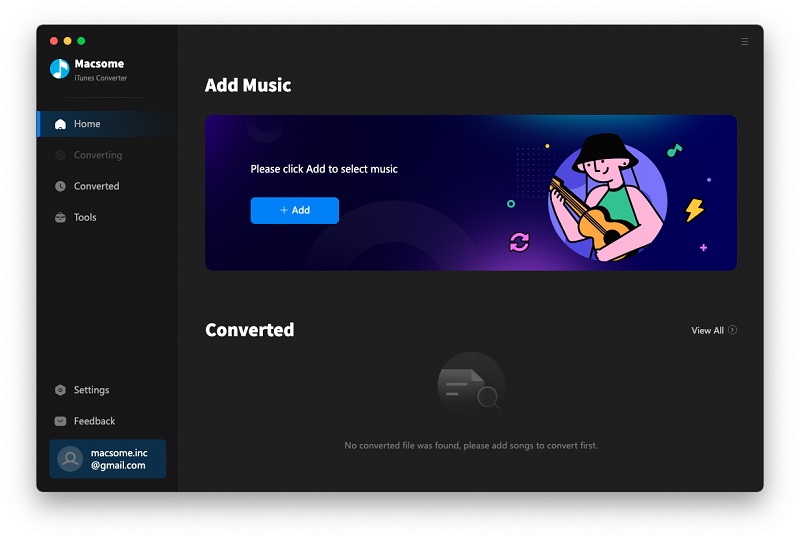
Interface of Macsome iTunes Converter
Step 2: Click Add button, and then choose the music files from the Music library, and click OK, and then all files are import.
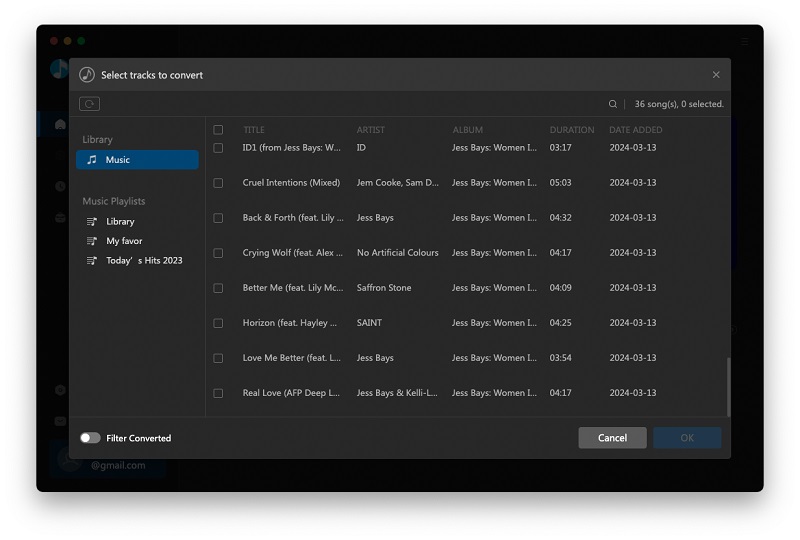
Add audio files
Step 3: Click the setting icon to set the output format.
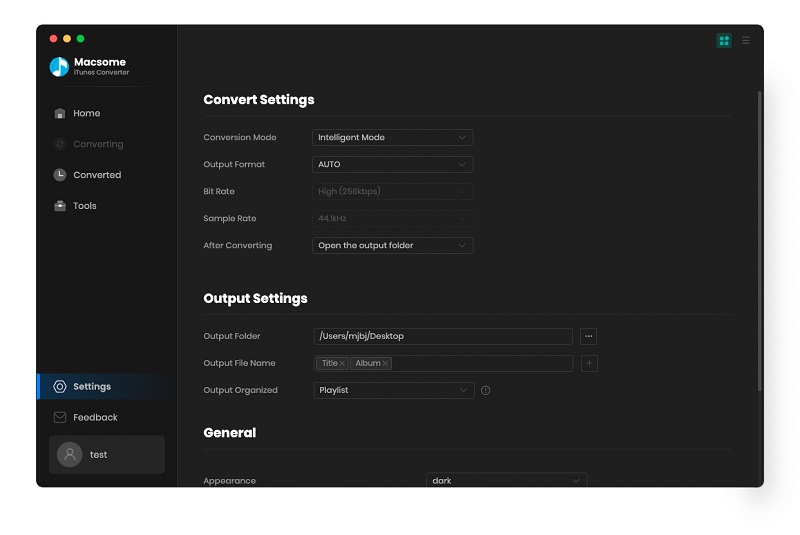
Convert Apple Music to MP3
Step 4: Click CONVERT button to start Apple Music to MP3 conversion.
Once the conversion process is completed, connect USB drive with your computer. And you can drag and drop the converted iTunes music files to the USB. Plug the USB into your PS4, you can play Apple music on Sony PS4 on the go.

Wednesday, May 25, 2016

Video Guide of Apple Music Converter to MP3, how to convert Apple Music to MP3


Apple Music is all about streaming. You pay a flat fee to unlock access to Apple Music's entire catalogue, but you don't actually own the music you listen to.
That is to say, in the whole month, Apple Music lets you save tracks to listen to offline, You won't own those files and you won't be able to offload them anywhere else. You can't burn them onto a disc, use them in separate video projects, or put them on other devices. If you decide to cancel your Apple Music subscription, you'll lose access to those songs.
If you want to remove the DRM from Apple Music and then play these M4P music files without limitations any more, how to do?
To solve the above problems well, Macsome iTunes Music Converter is helpful and useful, which uses high recording and encoding to MP3 / AAC technology to convert these DRM Music files to MP3 formats, and then you can enjoy these files on any MP3 player devices as you like.